
Header Tags
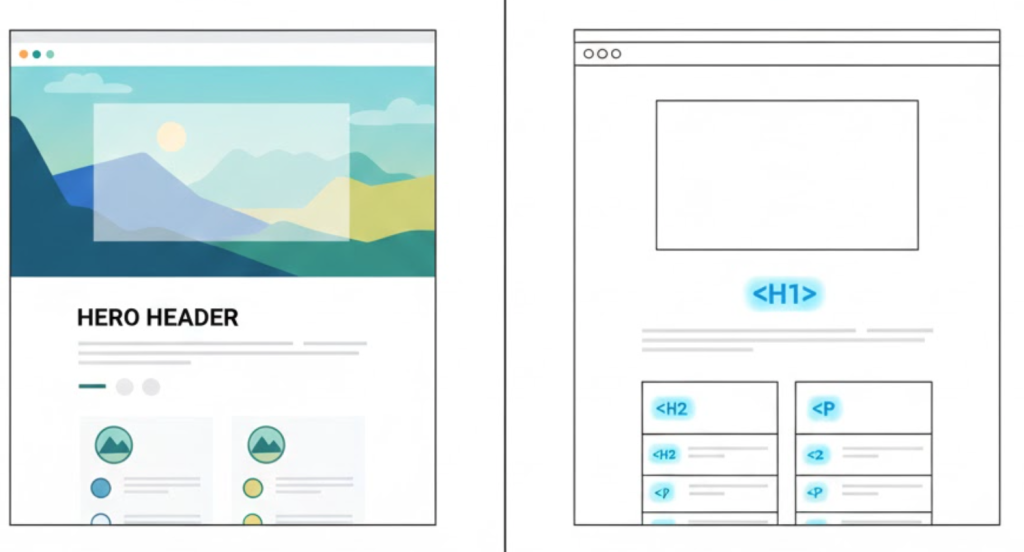
What Are Heading Tags? (Your Site’s Secret Skeleton)
Let’s talk about the most visible, yet most misunderstood, element on your entire website.
Most business owners think headings are just a design choice (“Make that bold and bigger”). Web designers know they are a visual hierarchy tool. But SEOs know the truth: Heading tags are the secret skeleton of your webpage.
Welcome to the decoder ring. Heading tags (H1, H2, H3) are the single most important “on-page” signal you can send to Google to explain your content structure. At Saint Digital, we’re experts at this because a site that gets this wrong is a site that will never rank.
Build a technically perfect website.
Heading tags are just the skeleton. To rank in 2025, your entire codebase needs to be optimized for semantics and speed. Learn the essentials in our complete guide.
What Are Heading Tags, Technically?
Heading tags are simple HTML code numbered <h1> through <h6>. The number signifies hierarchy, like a book outline:
<h1>: The Book Title. (e.g., “A Guide to Web Design”)<h2>: A Chapter Title. (e.g., “Chapter 1: Typography”)<h3>: A Sub-Section. (e.g., “Serif vs. Sans-Serif”)
This “nesting” structure is key. An H3 must always sit inside an H2 section.
Part 1: Why Headings are a UX Tool
If your headings are bad, your user experience suffers too.
1. Defeating “The Wall of Text”
Humans don’t read on the internet; they scan. Headings are the “hooks” that grab a scanner. They break content into bite-sized sections, lowering your bounce rate.
2. Accessibility (Screen Readers)
Visually impaired users rely on software to “read” the code. They often hit a key to “jump to the next heading.” If your structure is broken (e.g., H4 before H2), the page becomes a confusing mess for them.
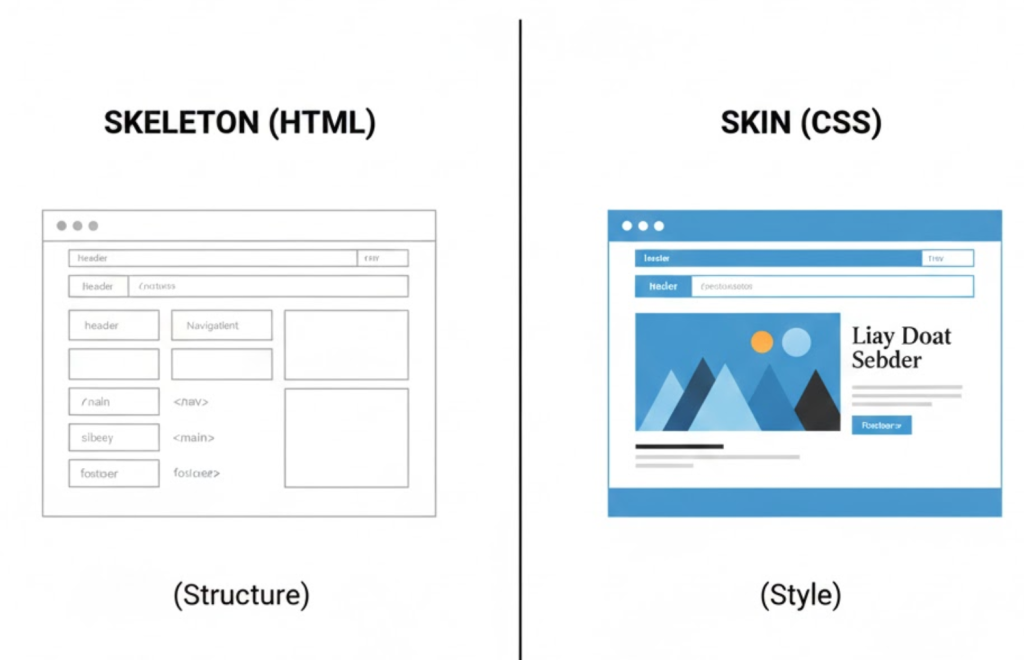
Here’s a visualisation of how HTML covers structure, while CSS covers style:
Part 2: Why Headings are an SEO Tool
1. The <h1>: Your “Primary Keyword”
Your H1 is your “book title.” It is your main signal to Google. You must follow two rules:
- One H1 Per Page. Having multiple H1s confuses Google.
- Include Your Keyword. If you want to rank for “Web Design Leeds,” put that in your H1.
2. <h2> and <h3>: Context & Snippets
These tags provide the context that builds authority. A question-based H2 (“Why are headings important?”) followed by a clear answer is the #1 way to win a Featured Snippet.
Technical Insight: Semantic HTML5
Headings don’t live in a vacuum. Modern SEO uses Semantic HTML5 tags to wrap content.
<header>: Tells Google “This is the top of the page.”<nav>: Tells Google “This is the menu.”<article>: Tells Google “This is the main blog post content.”
By wrapping your H1 inside an <article> tag, you help Google distinguish your main content from your sidebar or footer.
The Common Mistake (And How We Fix It)
A “lazy designer” picks headings based on looks (“I’ll use an H4 here because I want small text”). This breaks the skeleton.
The Saint Digital approach separates structure from style. We build the logical skeleton (H1 > H2 > H3) for SEO, and then use CSS to style them however we want. This ensures perfect SEO and perfect design.
The Takeaway
Stop thinking of headings as just “big text.” They are the map for your users and the table of contents for Google.
At Saint Digital, our web design services ensure your site structure is built on a flawless, accessible skeleton.
Is your site’s skeleton broken?
Your headings are the blueprint of your site for both users and Google. If they’re a mess, your site will never perform. We at Saint Digital are experts at building a perfect, logical structure (for SEO) and wrapping it in a beautiful design (for users).
You don’t have to choose. Let’s build it right.
Learn more from our Glossary
© Saint Digital Ltd, 2020-26, all rights reserved.