
Minification

What is Minification? (The “Digital Diet” That Speeds Up Your Site)
You run a speed test on your website using Google PageSpeed Insights. The result is red. The error message screams at you: “Minify CSS” or “Minify JavaScript.”
It sounds complicated. Is your code broken? Do you need to hire a developer to rewrite your entire website?
No. You just need to put it on a diet.
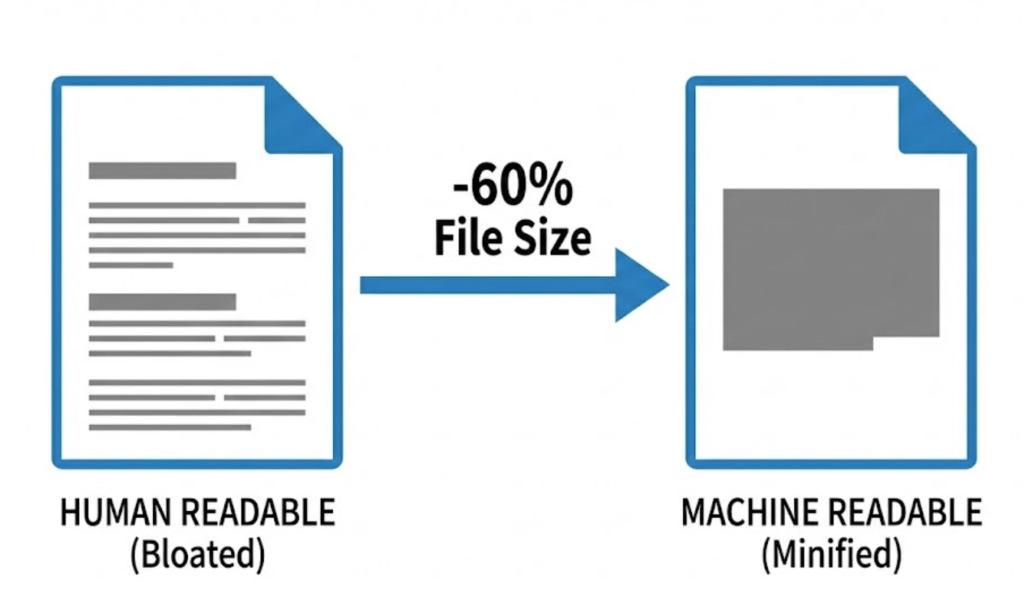
Welcome to the decoder ring. Minification is the process of removing unnecessary characters from your website’s source code (like spaces, newlines, and developer comments) to reduce the file size.
It doesn’t change how the code works—the functionality remains exactly the same. It just changes how it looks to the computer. It makes the files smaller, lighter, and much faster to download.
At Saint Digital, minification is a standard, non-negotiable part of our deployment process. We ensure every line of code is lean and efficient, helping you pass Core Web Vitals and rank higher on Google.
Is bloated code killing your load times?
Speed is a direct ranking factor. Minification is just step one. Learn how to fully optimize your site’s performance and server response times in our comprehensive technical guide.
How Minification Works (The “Text Speak” Analogy)
To understand why we do this, you have to understand that computers don’t read like humans.
Humans need grammar. We need spaces between words. We need line breaks to see where one paragraph ends and another begins. We need “comments” explaining complex ideas.
Computers need none of that. To a browser, a “space” is just wasted data.
Imagine you want to send a text message to a friend: “Are you coming to the party tonight?” (34 characters).
If you wanted to “minify” that message to save data, you might type: “r u comin 2 party 2nite” (23 characters).
The meaning is identical. The recipient understands it perfectly. But it takes up less space and sends faster.
A Real Code Example
Human-Readable Code (Before Minification):
This is easy for a developer to read and edit.
/* This sets the font colour for the main body */
body {
    color: #333333;
    background-color: #ffffff;
    margin: 20px;
    padding: 10px;
}
Minified Code (After Minification):
This is unreadable to humans, but perfect for machines.
body{color:#333;background-color:#fff;margin:20px;padding:10px}The minified version removes the comments, the spaces, and the line breaks. It turns a multi-line document into a single, long string of code. In complex JavaScript files, this can reduce file size by 30% to 70%.
Why Minification Matters for SEO
It might seem like a small saving—a few kilobytes here and there. Does it really matter?
Yes. When you multiply those savings across 50 files and 10,000 visitors, the impact is massive.
1. Faster Download Times (LCP)
Every byte your user has to download takes time. On a fast Wi-Fi connection, you might not notice. But on a spotty 4G mobile connection on a train, downloading a massive 1MB JavaScript file can take seconds.
Minifying it to 300KB makes it load instantly. This directly improves your Largest Contentful Paint (LCP) score, a major Google ranking factor.
2. Faster Parsing (CPU Usage)
This is often overlooked. It’s not just about download speed; it’s about “reading” speed.
Once the browser downloads the file, it has to “parse” (read) the code before it can draw the page. If the code is bloated with comments and whitespace, the phone’s processor has to work harder to skip over the junk. Minified code is faster to parse, which saves battery life and makes the site feel snappier.
3. Reduced Bandwidth Cost
If you pay for Hosting based on bandwidth usage (like AWS), sending smaller files saves you direct money. It also reduces the load on your server, meaning your site can handle more visitors at once without crashing.
Minification vs. Compression (The Confusion)
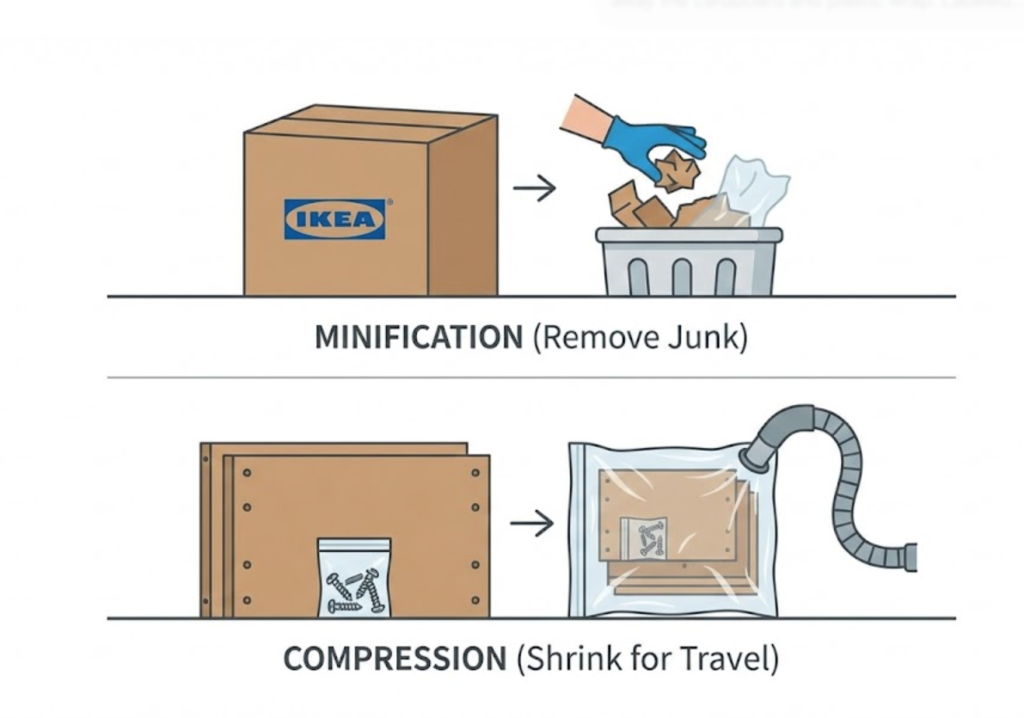
People often confuse Minification with GZIP (or Brotli) Compression. They are partners, but they do different things.
Think of assembling an IKEA chair.
- Minification is throwing away the cardboard box, the plastic wrap, and the instruction manual. You are removing the “junk” you don’t need to build the chair.
- Compression is vacuum-packing the wooden parts so they take up less space in the van. You aren’t throwing anything away; you are just squashing it for transport.
The Saint Digital Strategy: We do both. We minify the code first to make it clean, and then we compress it on the server to make it tiny. This is the gold standard for Technical SEO.
Advanced Concept: “Mangling” (Variable Renaming)
For JavaScript, minification often goes a step further called Mangling (or Obfuscation).
This replaces long, human-readable variable names with short characters.
Before: var customerEmailAddress = "test"; (35 chars)
After: var a="test"; (13 chars)
This makes the file incredibly small, but it also makes it impossible for a human to read or debug without a special “Source Map” file. It’s “Minification Extreme.”
How to Minify Your Site (Safely)
Warning: Do not do this manually. If you accidentally delete a semicolon or a bracket while trying to delete a space, you will break the code and crash your site. Always use automation.
1. Using a WordPress Plugin
If you use WordPress, plugins like WP Rocket, Autoptimize, or W3 Total Cache have a simple checkbox: “Minify CSS” and “Minify JS.”
Pro Tip: Sometimes, aggressive minification can break a site if two scripts conflict. Always test your site in an “Incognito” window after enabling this setting to ensure everything still works.
2. Build Tools (For Developers)
For custom sites, we use build tools like Webpack or Gulp. These tools automatically minify the code every time our developers save a file. This means the “production” version of the site is always optimized, while the “development” version remains readable for our engineers to work on.
3. CDN Minification
Many CDNs (Content Delivery Networks) like Cloudflare offer “Auto-Minify” features. They intercept your code on the way to the user and strip out the whitespace automatically. This is a great “set and forget” option for non-technical owners.
The Takeaway
Minification is the digital equivalent of packing a suitcase efficiently. You take out the air, fold everything tight, and fit more value into a smaller space.
It is a fundamental best practice for the modern web. It makes your site faster for users, cheaper to host, and more attractive to Google.
At Saint Digital, our web design services ensure your code is lean, clean, and optimized for speed. We strip the fat so your website can run at full sprint.
Is your code bloated? Let’s put it on a diet.
Put your website on a diet.
Bloated code slows down your site and frustrates your users. We at Saint Digital are performance engineers. We minify, compress, and optimize your code infrastructure to ensure your site loads instantly and ranks higher.
Let’s speed things up.
Learn more from our Glossary
© Saint Digital Ltd, 2020-26, all rights reserved.