
URL Structure
What is URL Structure? (Why Your Web Address Needs to Be Human-Readable)
Look at the address bar at the top of your browser right now. You see something like saint-digital.co.uk/glossary/url-structure.
You can read it. You understand it. You know exactly where you are in the website hierarchy.
Now, imagine if it said: saint-digital.co.uk/index.php?id=9928&cat=glossary&ref=22a.
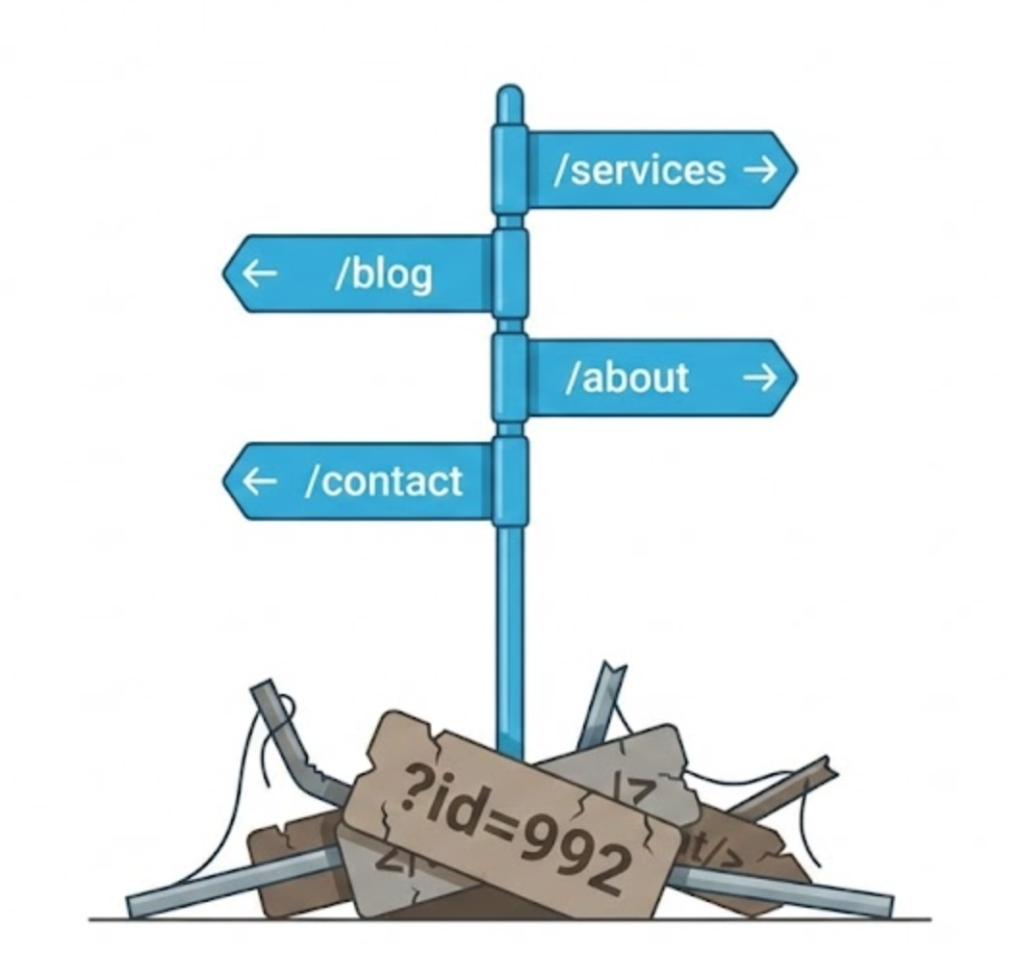
That is a messy URL Structure. It confuses users, it looks untrustworthy, and crucially, it tells Google absolutely nothing about the page content.
Welcome to the decoder ring. A URL (Uniform Resource Locator) is the specific address of a page on the internet. But it isn’t just a technical coordinate; it is a semantic signal.
At Saint Digital, we believe your URL structure is the “street signage” of your website. If the signs are broken, misspelled, or written in code, nobody is going to find the destination.
Is your site architecture broken?
Messy URLs and poor folder structures confuse Google bots and waste your crawl budget. Learn how to architect a perfect technical foundation in our complete guide.
The Anatomy of a URL
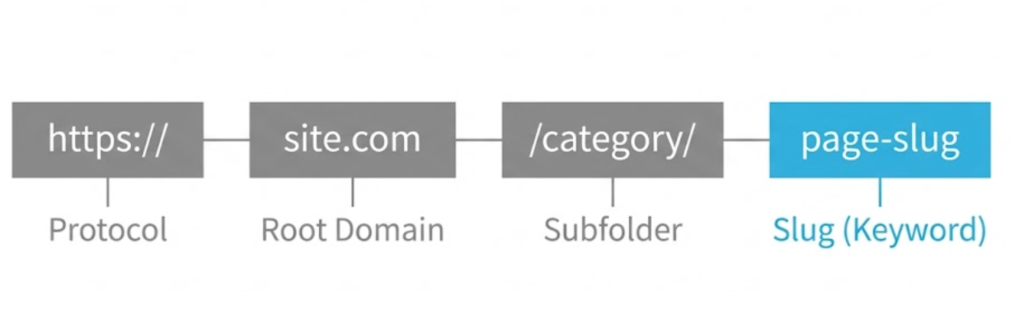
To fix your URLs, you need to understand the parts. Let’s dissect a standard optimized URL:
https://www.yoursite.com/services/web-design
- Protocol (https): The security layer. (See our SSL guide).
- Subdomain (www): Optional, but standard.
- Root Domain (yoursite.com): Your brand entity.
- Subfolder (/services/): The category or “folder” the page lives in. This defines hierarchy.
- The Slug (/web-design): The specific name of this page. This is the part we optimise the most for keywords.
Why Google Cares About Your URLs
Google has explicitly stated that URL structure is a ranking factor. Here is why.
1. Keywords in the URL
Google reads the URL *before* it reads the content. If your URL contains the keyword “web-design,” you are giving Google a massive hint about the page topic before it even starts crawling.
2. Click-Through Rate (CTR)
Your URL appears in the search results, right under the blue Title Tag. Users look at it. A clean, descriptive URL looks trustworthy. A messy string of numbers looks like spam. A better URL earns more clicks.
3. Site Architecture & Breadcrumbs
A logical folder structure (e.g., /clothing/mens/shoes/) helps Google understand the hierarchy of your website. It knows that “Shoes” is a sub-category of “Mens,” which often allows Google to generate rich “Breadcrumbs” in the search results.
The 5 Golden Rules of URL Structure
When we build a site, we follow strict naming conventions. Here are the rules you should follow too.
Rule 1: Use Hyphens, Not Underscores
This is Google’s own rule. Why? Google treats a hyphen as a space. It reads “web-design” as “web design.” It treats an underscore as a joiner. It reads “web_design” as “webdesign.” Always use hyphens.
Rule 2: Keep It Short and Simple
Shorter URLs rank better. Cut out the “stop words” (and, or, but, the). Get straight to the keyword.
Bad: /blog/ten-amazing-tips-for-how-to-do-seo
Good: /blog/seo-tips
Rule 3: Lowercase Only
Servers can be fussy. To a Linux server, /About and /about might be two different pages. This creates Duplicate Content issues. We force all URLs to be lowercase to avoid confusion.
Rule 4: Avoid Dates (The “Evergreen” Rule)
Unless you are a news site, never put dates in your URLs. If you use /2024/best-shoes, your URL looks outdated the moment 2025 hits. Just use /best-shoes and you can update the content forever without losing your backlinks.
Rule 5: Subfolders vs. Subdomains
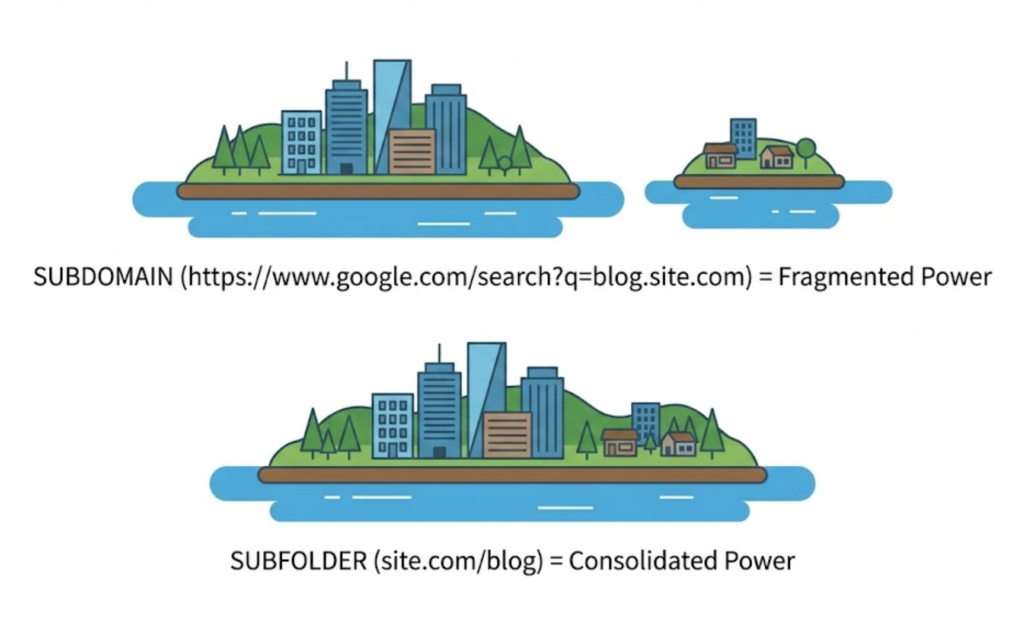
Should your blog be on blog.yoursite.com (Subdomain) or yoursite.com/blog (Subfolder)?
The Answer: Always use Subfolders.
Google often treats a subdomain as a *separate website*. If you put your blog on a subdomain, the “link juice” and authority your main site earns does not flow easily to the blog. By keeping everything in subfolders, you consolidate all your SEO power onto one dominant domain.
The “Trailing Slash” Dilemma
Here is a technical nuance that catches many people out. Does your URL end with a slash / or not?
example.com/page/(Trailing Slash)example.com/page(No Slash)
Technically, these are two different pages. If your site loads both versions, Google sees two copies of your content (Duplicate Content). We configure your server to force consistency (usually with the slash) via a 301 Redirect to prevent split ranking signals.
Handling “Dynamic” URLs (The E-Commerce Problem)
If you run a shop, you might see URLs like this: /products/shoe?colour=red&size=10.
These are “parameters.” They are necessary for functionality (filtering), but bad for SEO because they create thousands of near-duplicate pages. We use Canonical Tags to tell Google: “Ignore the parameters. The master version of this page is just /products/shoe.”
The Takeaway
URL structure is one of those “invisible” factors that makes a massive difference.
A clean URL structure is a sign of a well-architected website. It helps users navigate, it helps Google index, and it makes your links look professional when shared on social media.
At Saint Digital, our web design services plan your URL hierarchy before we write a single line of code. We ensure your digital address is easy to find, easy to read, and built to rank.
Is your site structure holding you back?
Is your address hard to read?
If your URLs look like computer code, users won’t click them. We at Saint Digital build clean, logical site architectures. We organize your content into a hierarchy that makes sense to humans and robots alike.
Let’s clean up your structure.
Learn more from our Glossary
© Saint Digital Ltd, 2020-26, all rights reserved.