
Error 410 Gone

What is Error 410 Gone? (The “Nuclear Option” for Deleting Content)
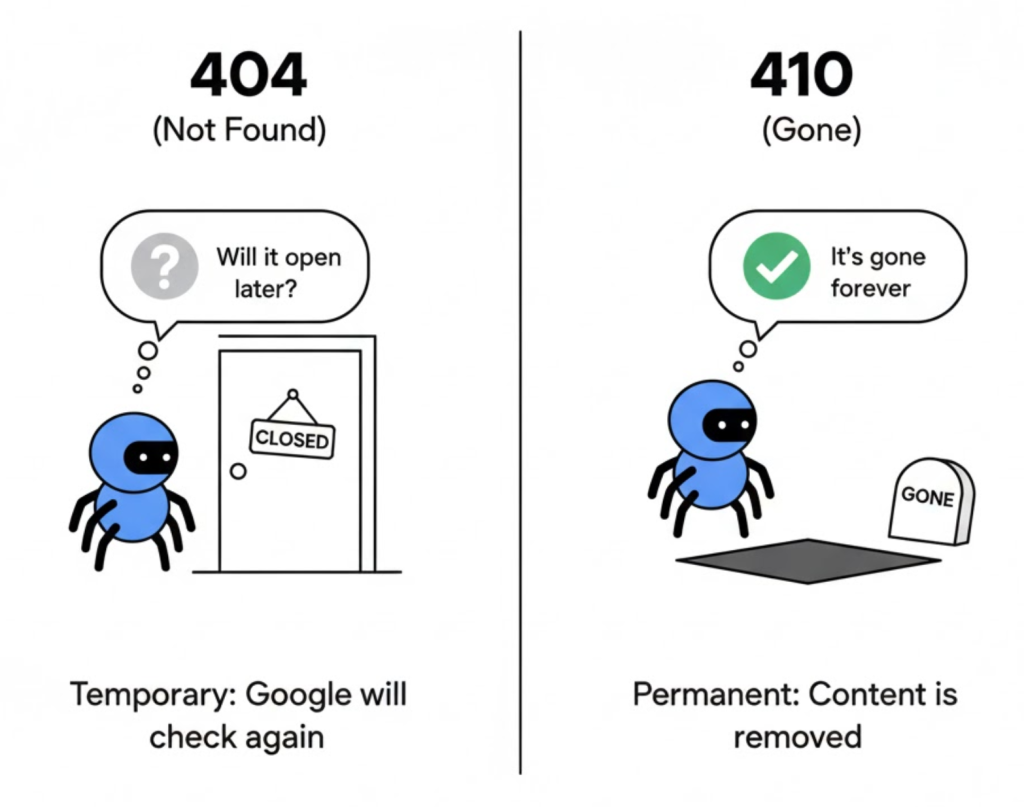
You delete a page on your site. Google visits it and sees a 404 Not Found error. So Google thinks: “Maybe this is a mistake. I’ll come back and check again tomorrow.”
This wastes Google’s time. If you know the page is gone forever, you need to stop Google from coming back. You need the 410 Gone status code.
Welcome to the decoder ring. The 410 Error tells search engines: “The resource is no longer available and will not be available again.”
At Saint Digital, we use the 410 code strategically during Content Audits to remove low-quality pages from Google’s index instantly.
Is your site bloated with dead content?
Zombie pages and old content hurt your rankings. Learn how to safely audit and delete them in our comprehensive guide.
The Difference: 404 vs. 410
To a human, they look the same. To a Googlebot, they are completely different instructions.
404 Not Found (“I’m Lost”)
- Meaning: “I can’t find this page right now.”
- Google’s Reaction: “I’ll keep checking back to see if it returns.”
- Result: Slow de-indexing. Google wastes Crawl Budget.
410 Gone (“I’m Dead”)
- Meaning: “This page was deleted intentionally. It is never coming back.”
- Google’s Reaction: “Understood. I will remove this URL immediately.”
- Result: Fast de-indexing.
When Should You Use a 410?
It is a “nuclear option.” Use it only when:
- 1. Removing Zombie Pages: If you have thousands of thin, low-quality pages hurting your site quality score.
- 2. Discontinued Products: If you stop selling a product and have no alternative to redirect to.
- 3. Hacked Pages: If attackers created 5,000 spam pages on your site, use 410 to clean the index fast.
The Saint Digital Rule: 410 vs. 301
Never 410 a page that has value.
- Does it have Backlinks or Traffic? → Use a 301 Redirect to a relevant page to save the authority.
- Does it have NO value/traffic? → Use a 410 Gone to kill it.
Technical Insight: Bulk Removal via Regex
If your site is hacked, you might have 10,000 spam URLs like /buy-viagra-123. You can’t click “Delete” 10,000 times.
In this scenario, we use Regular Expressions (Regex) in the server config (.htaccess) to apply a 410 code to any URL that matches a pattern. For example, one line of code can 410 every URL containing the word “viagra,” cleaning up the attack instantly without manual work.
How to Implement a 410 Code
Most CMS platforms default to 404. To send a 410, you need a plugin or code.
- Plugins: SEO plugins like RankMath have a “410 Gone” option in their Redirection manager.
- .htaccess: For advanced users:
Redirect 410 /your-deleted-page.
The Takeaway
The 410 Error is a housekeeping tool. It allows you to communicate clearly with search engines, preventing them from wasting time on dead content.
At Saint Digital, our SEO services use 410s to identify the rot, cut it out, and tell Google to move on.
Is your site haunted by dead pages? Let’s exorcise them.
Clear out the Dead Wood.
If Google is crawling thousands of dead pages on your site, it isn’t indexing your new ones. We at Saint Digital perform forensic site audits to identify and remove digital waste. We use advanced status codes to keep your site lean, fast, and efficient.
Let’s clean up your index.
Learn more from our Glossary
© Saint Digital Ltd, 2020-26, all rights reserved.