
Title Tag
What is a Title Tag? (The Blue Link That Decides Your Fate)
You want to rank on Google. You want people to click on your website. But before they can read your amazing content, buy your product, or see your beautiful design, they have to make a choice.
They are staring at a list of 10 blue links. They will click one.
That blue link is your Title Tag.
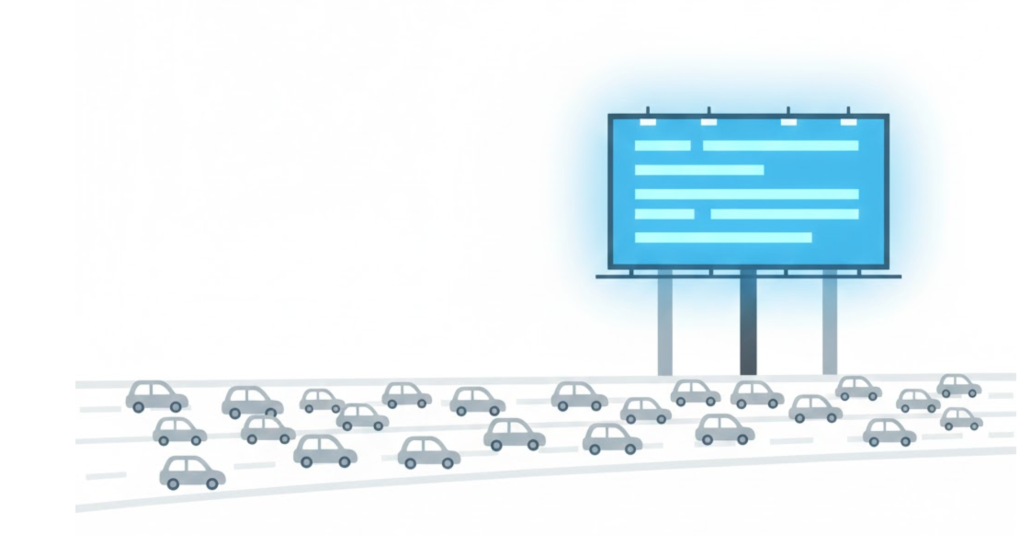
Welcome to the decoder ring. The Title Tag is the most critical piece of metadata on your entire website. It is your headline, your billboard, and your first impression all rolled into one. If you get it right, you can jump up the rankings without changing a single word on the actual page. If you get it wrong, you are invisible.
At Saint Digital, we treat Title Tags with obsession. We test them, tweak them, and perfect them because we know they are the single highest-leverage tool in the SEO toolkit.
Is your billboard blank?
A weak Title Tag is a missed opportunity for traffic. Learn how to audit your site’s metadata and optimize your click-through rates in our comprehensive guide.
The Technical Bit: What is It?
A Title Tag is a small piece of HTML code that lives in the <head> section of your webpage code. It is not part of the visible body content.
It looks like this:
<title>Web Design Leeds | Award-Winning Agency | Saint Digital</title>Crucially, this text does not usually appear on the page itself (that’s your H1 tag). Instead, the Title Tag appears in two very specific, very important places:
- The Browser Tab: It’s the text you see at the very top of your web browser when you have a tab open.
- The Search Result (SERP): It is the big, clickable blue headline on Google.
Why Title Tags Are a “Double Threat”
Most SEO elements are either for robots (like Schema) or for humans (like Content). The Title Tag is unique because it is critical for both.
1. It is a Direct Ranking Factor (For Google)
Google reads your Title Tag to understand the primary topic of your page. It is one of the strongest ranking signals you can send. If you want to rank for “Emergency Plumber,” those words must be in your Title Tag. If your title is just “Home Page,” Google has no idea who you are, and you won’t rank.
2. It is a Click-Through Factor (For Humans)
Ranking #1 is useless if nobody clicks. Your title must be compelling. It must promise value. It must match the user’s Search Intent. A boring title gets scrolled past. A great title steals clicks from the competitors above it.
The Anatomy of a Perfect Title Tag
Writing a Title Tag is an art form. You have very limited space (about 60 characters) to please an algorithm and persuade a human. Here is the formula we use.
1. The “Front-Loading” Rule
Google (and humans scanning the page) pay more attention to the first few words. Therefore, your Primary Keyword should always be as close to the start as possible.
- Weak: Welcome to the Homepage of Bob’s Plumbing who offers Emergency Repairs
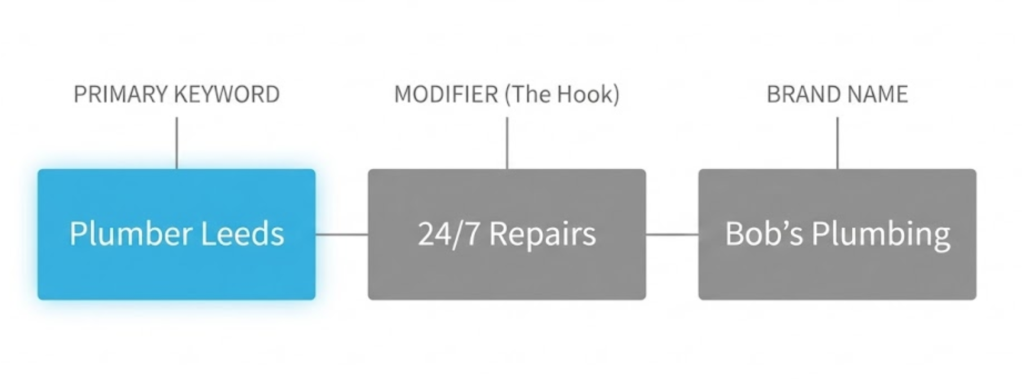
- Strong: Emergency Plumber Leeds | 24/7 Repairs | Bob’s Plumbing
See the difference? The strong version hits the user with the keyword instantly.
2. The Length Limit (Pixel Width)
Google doesn’t count characters; it counts pixels. You have about 600 pixels of space (roughly 50-60 characters).
If your title is too long, Google cuts it off with an ellipsis (…).
Example: “The Best Web Design Agency in The Whole of Yorkshire and The…” (Cut off).
This looks messy and unprofessional. We use preview tools to ensure your full message fits perfectly on mobile and desktop screens.
3. The Brand Name Placement
Unless you are Coca-Cola or Nike, your brand name is the least important part of the title for a new customer. They are searching for a service, not you.
The Rule: Put your brand name at the end.
Format: Primary Keyword – Secondary Benefit | Brand Name
The “Click Magnet” Psychology
To boost your CTR, you need to add emotional or benefit-driven modifiers. Don’t just say “SEO Services.” Say:
- “SEO Services (Increase Revenue 2x)” – Outcome driven
- “SEO Services – Award Winning” – Trust driven
- “SEO Services – Free Audit” – Value driven
- “The Ultimate Guide to SEO (2025 Update)” – Freshness driven
Pro Tip: Using brackets ( ) or [ ] in titles has been proven to increase click-through rates.
Title Tag vs. H1 Tag (The Confusion)
This confuses everyone, but the distinction is vital.
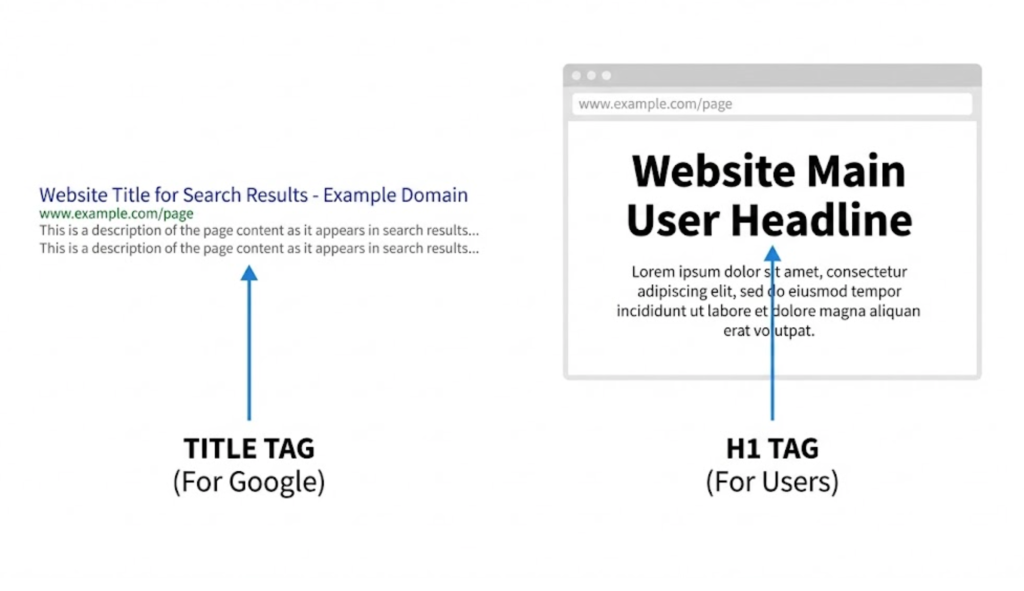
- Title Tag: Appears in Google Search Results. It is for the person who hasn’t clicked yet. It needs to be short, punchy, and keyword-heavy.
- H1 Tag: Appears on the Page Itself (the big headline). It is for the person who has already arrived. It can be longer, more emotive, and conversational.
They do not have to be identical! You can optimize them for their specific contexts.
Why Google Rewrites Titles
Sometimes, you write a perfect Title Tag, but Google shows something different in the search results. Why?
Google has an algorithm that “rewrites” titles if it thinks your chosen title is bad. It might rewrite it if:
- Your title is too long.
- Your title is “stuffed” with keywords.
- Your title is generic (e.g., “Home”).
If Google is rewriting your titles, it is a sign that your SEO needs work. Check Search Console to see exactly what Google is displaying.
The Takeaway
Your Title Tag is the highest-value real estate on the internet. It is 60 characters that can determine the success or failure of your SEO.
It’s a tiny piece of code with a massive job.
At Saint Digital, we don’t treat titles as an afterthought. We craft them. We balance the keywords Google needs with the psychology users want. We ensure every page on your site has a unique, optimised “billboard” that demands to be clicked.
Ready to rewrite your headlines?
Do your headlines work hard enough?
A bad title tag renders your content invisible. A great one is a magnet for clicks. We at Saint Digital are experts in on-page optimisation. We rewrite your titles to satisfy Google’s algorithm while hooking human curiosity.
Let’s get you clicked.
Learn more from our Glossary
© Saint Digital Ltd, 2020-26, all rights reserved.