
Redirects
What is a 301 Redirect? (And Why It’s the “Change of Address” for SEO)
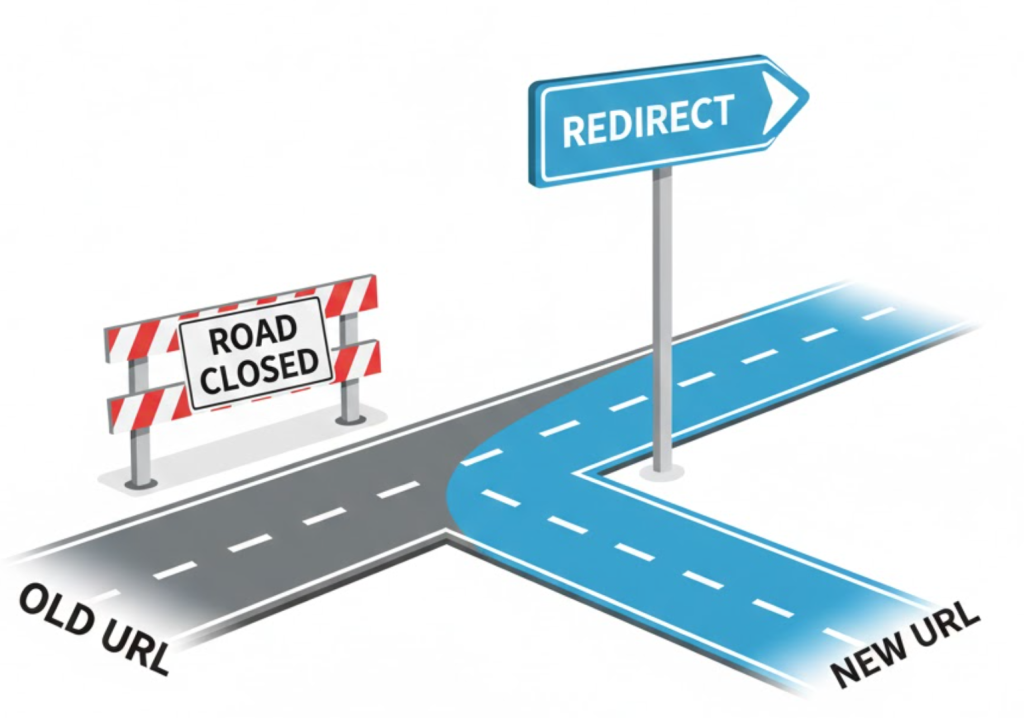
Imagine you run a popular shop on the High Street. You decide to move to a bigger, better location just two streets away.
You pack up your stock. You lock the old door. But you forget one thing: You don’t put a sign in the window telling people where you went.
Your customers arrive at the old shop. They see a locked door. They get confused. They leave. You have lost them forever.
In the digital world, this “locked door” is a 404 Error. And the “sign in the window” that saves your business is called a Redirect.
Welcome to the decoder ring. Redirects are the unsung heroes of Technical SEO. They are the instructions that tell users and Google: “The page you are looking for has moved. It is now located here. Please go there automatically.”
At Saint Digital, we use redirects to ensure that whenever we change, delete, or move a page, you don’t lose a single visitor or a single drop of SEO authority.
Don’t lose your hard-earned rankings.
Site migrations and URL changes are the #1 cause of traffic drops. Learn how to map your redirects correctly and preserve your authority in our complete technical guide.
The Two Main Types: 301 vs. 302
Not all redirects are the same. When you set up a redirect, you send a specific “status code” to Google. The difference between them is massive for your rankings.
1. The 301 Redirect (Permanent)
This is the Gold Standard for SEO.
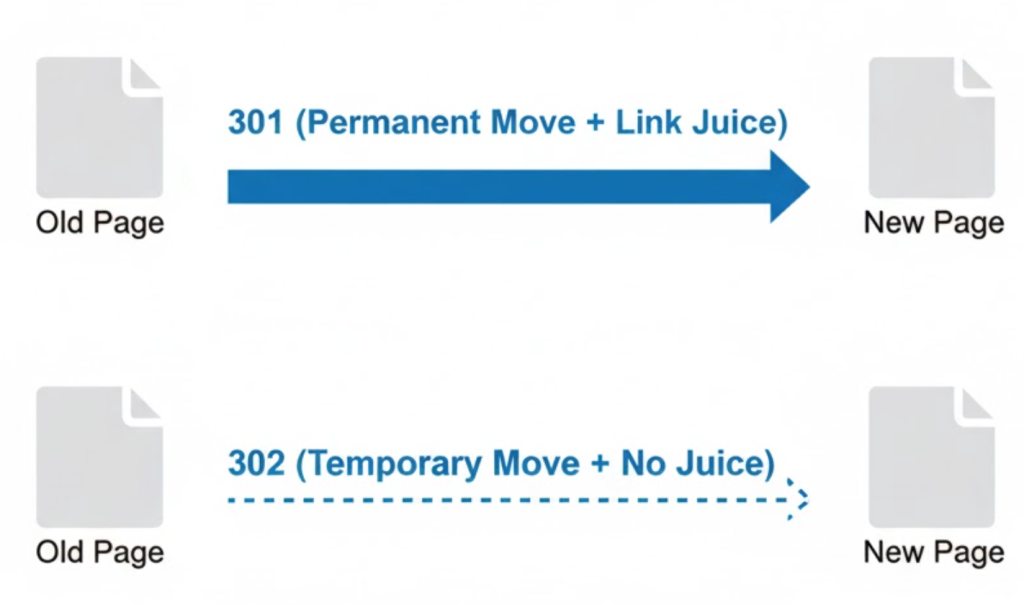
A 301 code tells Google: “This page has moved permanently. I am never coming back to the old address. Please update your database and transfer all my rankings, history, and authority to the new address.”
Use a 301 when:
- You delete a page permanently but have a relevant alternative.
- You change a URL structure (e.g., from
/blog/ten-tipsto/blog/10-seo-tips). - You migrate your site from HTTP to HTTPS.
- You merge two websites together.
2. The 302 Redirect (Temporary)
This is a specific tool for specific moments.
A 302 code tells Google: “This page has moved temporarily. I will be back soon. Keep the old address in your index and don’t transfer the rankings yet.”
Use a 302 when:
- You are doing site maintenance.
- You are A/B testing a new page design but want to keep the old URL ranked.
- You are running a seasonal promotion (e.g., diverting the homepage to a Black Friday page for just 24 hours).
The Mistake: Using a 302 when you meant a 301. If you do this, you lose your SEO rankings because Google keeps waiting for the old page to come back.
Why Redirects Are Critical for “Link Juice”
This is the most important concept to understand.
Every page on your site has built up authority over time. It has earned backlinks from other websites. We call this “Link Juice.”
If you delete a page (creating a 404 error), that link juice evaporates. The connection is broken. The “vote” is lost.
A 301 Redirect acts like a pipe. It catches the Link Juice from the old URL and carries it safely to the new URL.
Example:
Page A has 100 high-quality backlinks. You want to delete Page A and create the better Page B.
Without a redirect: Page B starts with 0 backlinks. You start from scratch.
With a 301 redirect: Page B inherits the power of Page A’s 100 backlinks immediately.
The “Redirect Chain” Problem (Latency)
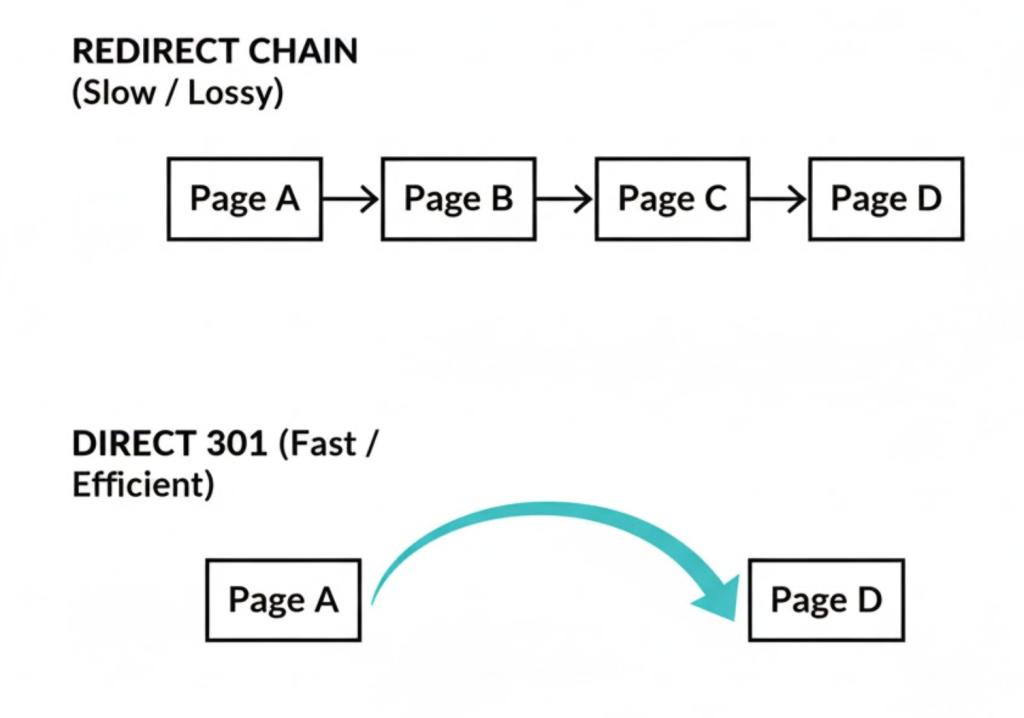
Redirects are good, but messy redirects are bad. A Redirect Chain happens when you get lazy.
Page A redirects to Page B.
Later, you redirect Page B to Page C.
Later, Page C redirects to Page D.
This forces the user (and Google) to jump through 3 hoops to get to the content. This slows down your Page Speed and wastes Google’s Crawl Budget. Google may eventually stop following the chain.
The Fix: We audit your site to find these chains and update them so Page A redirects straight to Page D. One jump only.
The “Soft 404” Trap (Don’t Redirect to Home)
When a client deletes a product, they often say: “Just redirect it to the Homepage so we don’t lose traffic.”
Do not do this.
Google hates this. It’s called a “Soft 404.” Why? Because it’s a bad experience. If I click a link for “Red Shoes” and I land on your generic Homepage, I am confused. I didn’t ask for the homepage.
Google sees that the new page (Homepage) is not textually relevant to the old page (Red Shoes) and stops passing authority. Effectively, it treats it as a 404 anyway.
The Rule: Always redirect to the most relevant alternative. If you delete “Red Shoes,” redirect to the “Shoes Category” page.
Advanced Strategy: The “Cocktail” Technique
Redirects aren’t just for fixing broken things; they are a strategic growth tool.
Often, a site has 5 weak blog posts about the same topic (e.g., “SEO Tips 2018,” “SEO Tips 2019,” “SEO Tips 2020”). None of them rank well because they are cannibalizing each other.
The Strategy: We write one massive, high-quality Pillar Page (“The Ultimate Guide to SEO”). Then, we 301 redirect the 5 old, weak posts into the new, strong one.
The result? The new page inherits the combined authority of all 5 old pages and shoots up the rankings.
The Takeaway
A website is a living thing. It changes. Pages move. Products sell out.
Redirects are the mechanism that keeps your site stable during these changes. They preserve your history, your authority, and your user experience.
At Saint Digital, we manage the technical plumbing. We monitor your site for broken links and set up the necessary 301s to ensure that no matter how much your site evolves, you never leave a customer facing a locked door.
Moving site? Don’t lose your traffic.
A website migration without a redirect strategy is a disaster waiting to happen. We at Saint Digital are technical experts. We map your URLs, implement precise 301 redirects, and ensure you keep your hard-earned rankings when you launch your new site.
Let’s migrate safely.
Learn more from our Glossary
© Saint Digital Ltd, 2020-26, all rights reserved.