
User Experience UX
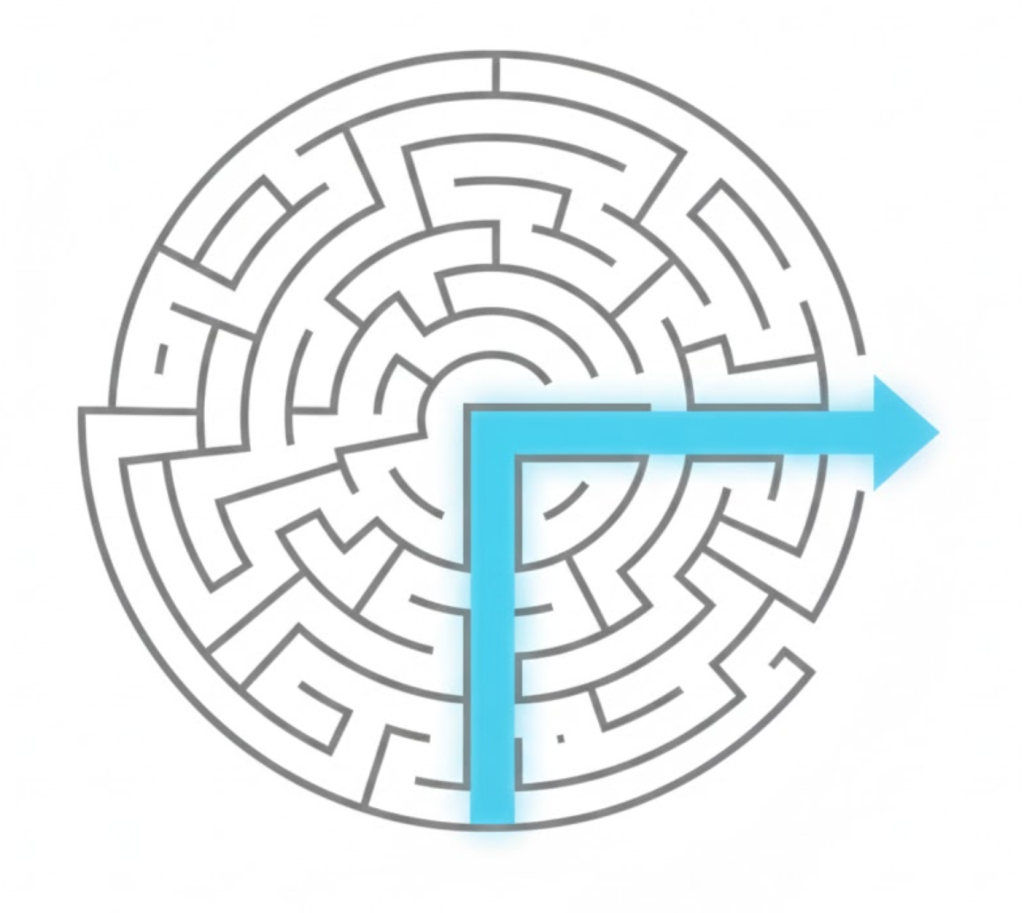
What is UX Design? (Why “Pretty” Websites Often Fail)
Imagine you walk into a stunning new restaurant. The decor is award-winning. The lighting is perfect. The menu is printed on gold leaf.
But… the chair is uncomfortable. The menu is written in a font you can’t read. The waiter ignores you. And when the food finally arrives, you can’t figure out how to eat it with the weird cutlery provided.
Do you go back? No.
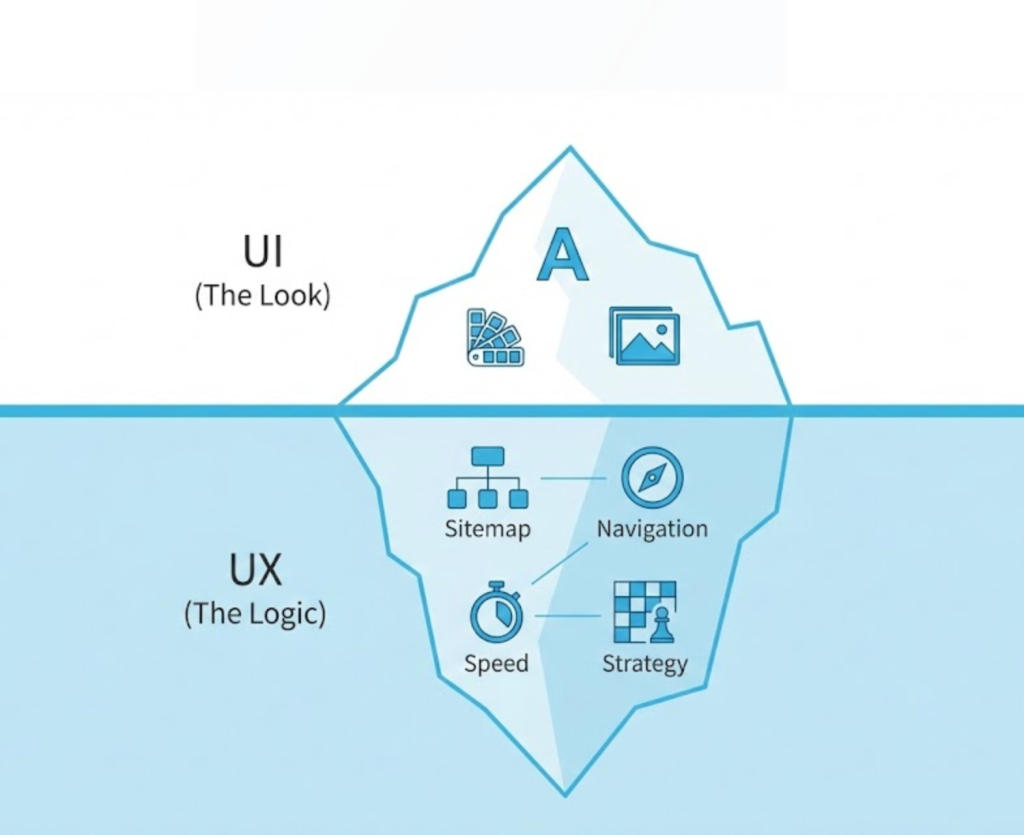
That restaurant had great UI (User Interface)—it looked amazing. But it had terrible UX (User Experience)—it felt terrible to use.
Welcome to the decoder ring. User Experience (UX) is the science of how a human feels when interacting with a system. It’s not about colours or logos. It’s about ease, efficiency, and satisfaction.
At Saint Digital, we are UX-led. We believe a website shouldn’t just be a painting to be admired; it should be a machine that works effortlessly for your customer.
Google hates frustrated users.
If users struggle to use your site, they leave. This spikes your bounce rate and kills your rankings. Learn how UX signals like Core Web Vitals impact your visibility in our complete guide.
The Golden Confusion: UX vs. UI
These two acronyms are often smashed together (“UX/UI Design”), but they are completely different disciplines. You need both, but you must understand the difference.
UI (User Interface) is the “Saddle”
UI is the visual layer. It is what the user sees. It includes:
- Typography and Fonts
- Colour Palettes
- Button Styling (Shadows, gradients)
- Photography and Icons
UX (User Experience) is the “Ride”
UX is the structural layer. It is what the user feels. It asks:
- Can the user find the CTA?
- Does the Navigation hierarchy make sense?
- Is the checkout process fast, or does it require 10 clicks?
- Does the page load quickly (Page Speed)?
A site with great UX but bad UI looks ugly, but works perfectly (think Craigslist). A site with great UI but bad UX looks beautiful, but is broken.
The 3 Laws of UX (How We Design for Brains)
Good UX isn’t magic; it’s psychology. There are specific “laws” of human behaviour that we follow to make sure your site feels intuitive.
1. Jakob’s Law (The “Familiarity” Rule)
The Law: Users spend most of their time on other websites.
What it means: They expect your site to work like all the other sites they know. If you put your logo at the bottom-right, or make your menu work backwards, you break their “Mental Model.” Great UX often means being “boring” with structure so you can be creative with content.
2. The Law of Proximity (The “Grouping” Rule)
The Law: Objects that are near each other tend to be grouped together.
What it means: We use “White Space” (or Negative Space) to visually group related items. If a headline is far away from its paragraph, the user gets confused. If they are close, the brain instantly connects them.
3. Hick’s Law (The “Simplicity” Rule)
The Law: The time it takes to make a decision increases with the number and complexity of choices.
What it means: If you give a user 10 options in a menu, they will freeze (Analysis Paralysis). If you give them 2, they will act. This is why we simplify Navigation menus to remove cognitive load.
Mobile UX: The “Thumb Zone”
Since over 60% of traffic is mobile, we design for the thumb.
The Thumb Zone is the area of the screen a user can easily reach while holding their phone with one hand. We map your site against this zone.
- Good UX: Placing the “Add to Cart” button or main Menu within easy reach of the thumb (bottom of screen).
- Bad UX: Placing a critical link in the top-left corner where the user has to stretch or use two hands to reach it.

The “Invisible” UX: Accessibility (A11y)
True UX means designing for everyone, including people with visual or motor impairments. This isn’t just charity; it’s good business (and often a legal requirement).
- Contrast: Can text be read by someone with low vision?
- Screen Readers: Is the site built with Semantic HTML so a blind user can navigate it?
- Touch Targets: Are the buttons big enough for someone with shaky hands (or just big thumbs) to tap without missing?
The Dark Side: “Dark Patterns”
Sometimes, businesses use UX to trick users. These are called Dark Patterns.
Example: Making the “Unsubscribe” button tiny and grey so you can’t find it. Or putting a countdown timer on a product that resets when you refresh the page.
At Saint Digital, we refuse to use Dark Patterns. They might get a quick sale, but they destroy long-term trust. We believe in Ethical Design.
How We Measure UX
We don’t guess. We design based on data.
- User Research: Who is the user? What is their Search Intent?
- Wireframing: Before we touch a single colour, we build a blueprint. We map out the user journey to ensure the logic flows perfectly.
- Heatmaps: We use tools to see exactly where users are clicking and scrolling. If they are ignoring a button, we move it.
- A/B Testing: We test two versions of a page to see which one performs better.
The Takeaway
User Experience is empathy in digital form.
It is the act of respecting your customer’s time and intelligence. It is about removing barriers, smoothing out bumps, and laying out a red carpet that leads directly to your goal.
At Saint Digital, our web design services don’t just look good in a screenshot; they feel good in the hand. We design for the human on the other side of the screen.
Is your website frustrating your customers? Let’s fix the flow.
Stop losing customers to bad design.
A pretty website that is hard to use is a liability. We at Saint Digital are UX specialists. We use psychology and data to remove friction, streamline journeys, and turn frustrated visitors into happy customers.
Let’s make your site easy to use.
Learn more from our Glossary
© Saint Digital Ltd, 2020-26, all rights reserved.