
Wireframe
What is a Wireframe? (The “Blueprint” That Saves You Money)
Imagine you are building your dream house. You hire a builder. On day one, before any plans are drawn, he asks you: “What colour curtains do you want?”
You would fire him immediately.
You can’t pick curtains until you know where the windows are. You can’t build walls until you know the floor plan. You need a Blueprint.
In web design, that blueprint is called a Wireframe.
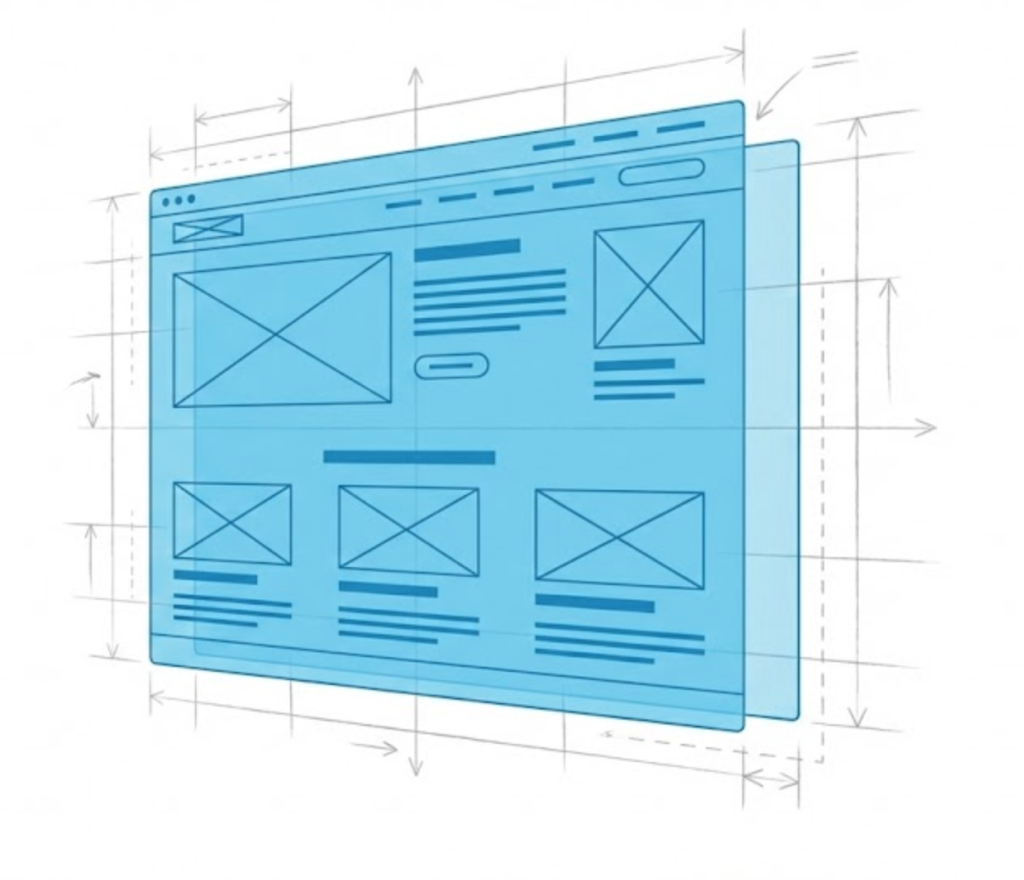
Welcome to the decoder ring. A Wireframe is a low-fidelity, black-and-white visual guide that represents the skeletal framework of a website. It shows what goes on the page, not what it looks like.
At Saint Digital, we never start a project without one. It is the tool that stops us from building a “pretty” site that doesn’t work. It forces us to focus on structure, logic, and user flow before we get distracted by design.
What Does a Wireframe Look Like?
If you see a wireframe for the first time, it might look… boring. That is the point.
A wireframe typically has:
- No Colours: Everything is grey, black, and white.
- No Images: Photos are represented by boxes with an “X” through them.
- No Styling: The font is basic (like Arial).
It is a schematic. It shows you:
- Where the logo goes.
- Where the Navigation menu sits.
- How big the Hero Section is.
- Where the Call to Action buttons are placed.
- The layout of the text blocks.
Why Do We Need Wireframes? (The Business Case)
Clients often ask: “Can’t we just skip this and see the design?”
The answer is no. Skipping wireframing is the most expensive mistake you can make. Here is why.
1. It Focuses on Usability (UX), Not Aesthetics
If I show you a full-colour design, you will immediately say: “I don’t like that shade of blue.” Your brain focuses on the art.
If I show you a black-and-white wireframe, you say: “Wait, why is the ‘Buy Now’ button at the bottom? It should be at the top.” Your brain focuses on the structure.
Wireframing forces everyone to focus on User Experience (UX). It ensures the page layout solves the user’s problem before we make it look pretty.
2. It Saves Time and Money
Changing a wireframe takes 10 minutes. “Move that box here. Delete that section.” Easy.
Changing a fully coded, high-fidelity design takes 10 hours. You have to undo code, resize images, and re-test responsiveness.
By agreeing on the structure before we build, we avoid costly revisions later. It is the “measure twice, cut once” philosophy of web design.
3. It Defines Content Strategy
A wireframe tells you exactly how much content you need to write. “Oh, we have three boxes here for ‘Services.’ I need to write three short paragraphs.”
Without a wireframe, you are writing blindly. You might write 1,000 words for a section that only has room for 50. Wireframes dictate the content requirements.
The 3 Levels of Wireframing
Not all blueprints are the same. Depending on the project, we use different levels of detail.
1. Low-Fidelity (Lo-Fi)
What it is: Literally a sketch on a napkin or a whiteboard.
When we use it: In the very first brainstorming meeting. It’s for getting rough ideas out of our heads quickly.
2. Mid-Fidelity (The Standard)
What it is: A digital layout created in tools like Figma or Adobe XD. It uses grey blocks and Lorem Ipsum text.
When we use it: This is what we show you. It’s polished enough to understand the layout but abstract enough to keep the focus on structure.
3. High-Fidelity (Hi-Fi)
What it is: A pixel-perfect wireframe that includes actual copy and specific spacing, but still no colour/images.
When we use it: For complex web apps or interactive tools where the exact wording is critical to the flow.
Wireframe vs. Mockup vs. Prototype
These terms get confused constantly. Here is the hierarchy:
- Wireframe (The Skeleton): Structure and layout. No design.
- Mockup (The Skin): The static visual design. This is where we add your brand colours, fonts, and photos to the wireframe. It looks like the final website, but it’s just a picture.
- Prototype (The Movement): A clickable version. We link the mockups together so you can click buttons and navigate between pages to test the flow.

The SEO Connection
You might think wireframing is just for designers, but it is vital for Technical SEO.
During the wireframe phase, we map out the Heading Hierarchy (H1, H2, H3). We decide where the internal links will go. We ensure there is enough space for Quality Content.
If you build a site without considering SEO in the wireframe, you end up with a beautiful site that has nowhere to put the text Google needs to read. We wireframe for rankings.
The Takeaway
A wireframe is your safety net.
It creates clarity. It ensures that you, the designer, and the developer all agree on exactly what is being built. It removes the “I thought it would look different” surprises.
At Saint Digital, we don’t skip steps. We take the time to blueprint your success. We ensure the foundation is rock solid before we start decorating.
Ready to plan your digital future?
Measure Twice, Not Once.
Building a website without a wireframe is gambling with your budget. We at Saint Digital are strategic planners. We blueprint every interaction and layout to ensure your site works perfectly before we write a single line of code.
Let’s plan your build.
Learn more from our Glossary
© Saint Digital Ltd, 2020-26, all rights reserved.