
Breadcrumbs
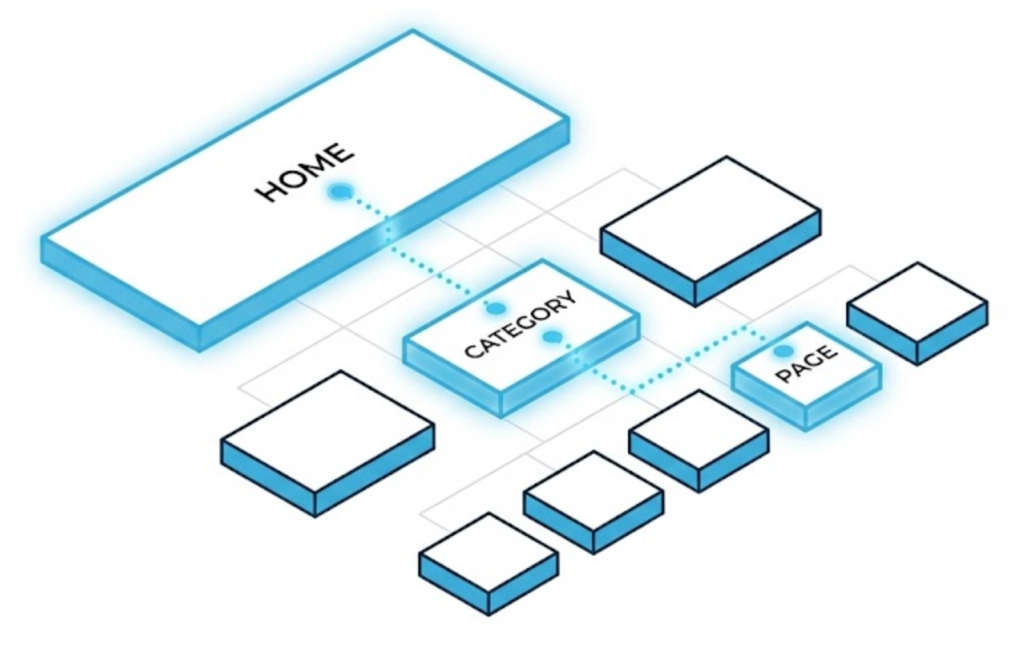
What are Breadcrumbs? (The “Hansel & Gretel” of Web Design)
You are deep inside a large e-commerce website. You have clicked through “Men,” then “Shoes,” then “Running,” then “Trail,” and now you are looking at a specific pair of Nike trainers.
You decide you don’t like them. You want to go back to see all Trail Running shoes. What do you do?
Do you hit the “Back” button four times? Do you click “Home” and start over? No. You click the little link at the top of the page that says “Trail Running.”
That little link is a Breadcrumb.
Welcome to the decoder ring. Breadcrumb Navigation is a secondary navigation system that shows a user their current location in a site’s hierarchy. At Saint Digital, we consider breadcrumbs mandatory for any site with more than two levels of content. They are the safety net that prevents users from feeling lost.
Is your site structure confusing Google?
If your pages are buried deep in your site without a clear path back, Google won’t index them efficiently. Our Technical SEO Guide explains how to build a clean “Site Architecture” that ranks.
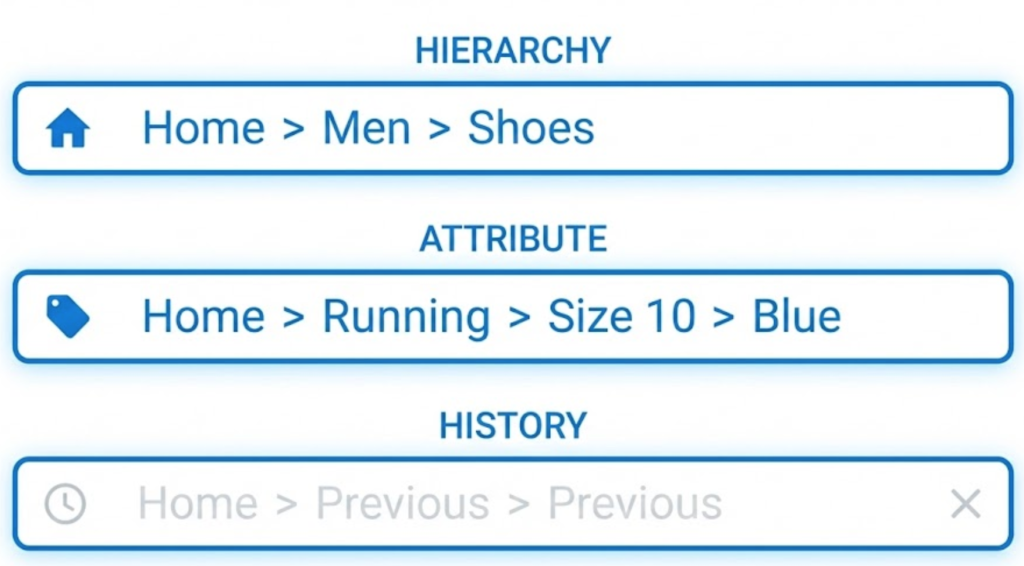
The 3 Types of Breadcrumbs
Not all trails are the same. Depending on your site structure, we deploy one of three types.
1. Hierarchy-Based (The Standard)
What it is: It shows you where the page sits in the site structure. It is static.
Example: Home > Services > Digital Marketing > SEO
Best for: Almost everyone. This is the gold standard for SEO.
2. Attribute-Based (The E-Commerce Special)
What it is: It shows the filters or categories the product belongs to.
Example: Home > Shoes > Running > Size 10 > Blue
Best for: Online stores. It allows the user to quickly “zoom out.”
3. History-Based (The “Back” Button)
What it is: It shows the actual path the user took to get there.
Example: Home > Previous Page > Current Page
Best for: Almost nothing. It is redundant because the browser “Back” button already does this.
Why Breadcrumbs are an SEO Superpower
Breadcrumbs aren’t just for humans. They are one of Google’s favourite site elements.
1. They Enhance Search Results (Rich Snippets)
Google replaces messy URLs with a neat breadcrumb chain in search results. This increases trust and Click-Through Rate (CTR).
2. They Strengthen Internal Linking
Breadcrumbs are the ultimate automated Internal Linking tool. They automatically link every “child” page back to its “parent” category, passing authority up the chain.
3. They Reduce Bounce Rate
If a user lands on a specific blog post and wants to read more, the breadcrumb trail (Home > Blog > SEO Tips) gives them an instant path to explore related content, reducing Bounce Rate.
Technical Insight: JSON-LD Schema
Just having breadcrumbs on the page isn’t enough for Google to give you the pretty Rich Snippets. You need to verify them with Schema Markup.
We wrap the breadcrumbs in JSON-LD code (BreadcrumbList). This is invisible code that tells Googlebot explicitly: “This is Item 1 (Home), This is Item 2 (Category), This is Item 3 (Page).” Without this code, your breadcrumbs are just links. With it, they are structured data.
Best Practices: How to Design Breadcrumbs
- Don’t Link the Current Page: The last item in the trail should be bold text, not a clickable link. Linking a page to itself confuses screen readers.
- Keep Them Subtle: They should be at the top, smaller than body text, serving as a utility, not a headline.
- Use the Full Path: Don’t skip levels. The value is in the intermediate steps.
- Mobile Optimization: On mobile, long breadcrumbs can look messy. We often use a horizontally scrolling container or shorten the trail to just
< Back to Category.
The Takeaway
Breadcrumbs are the unsung heroes of Usability.
They take up almost no space, cost very little to implement, but provide massive value. They keep users on your site and help Google understand your structure.
At Saint Digital, our web design services build interconnected ecosystems. Breadcrumbs are the threads that tie your content together, ensuring users can always find their way home.
Is your site easy to navigate? Let’s check.
Stop your users getting lost.
If a user hits a dead end, they leave. We at Saint Digital design intuitive, fail-safe navigation systems. We implement breadcrumbs and Schema markup to ensure your users always know where they are, and Google always knows how to rank you.
Let’s fix your navigation.
Learn more from our Glossary
© Saint Digital Ltd, 2020-26, all rights reserved.