
Permalinks
What are Permalinks? (And Why You Must Fix Your Settings Today)
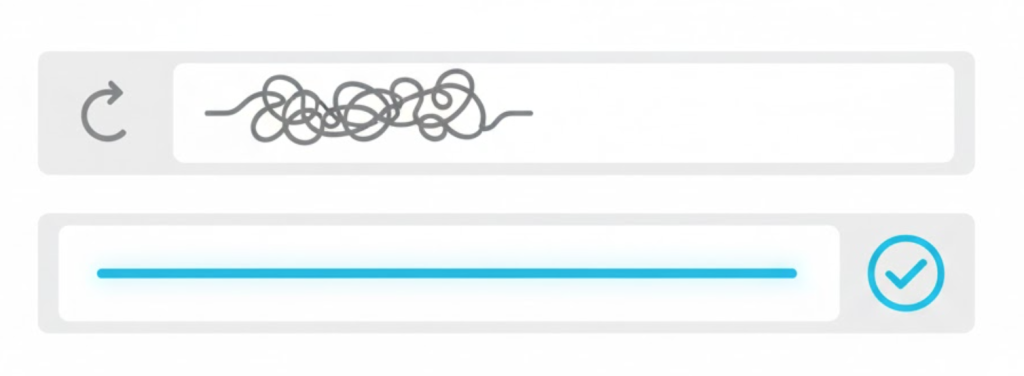
You’ve built a website. You’ve written a great blog post. You hit publish. But when you look at the address bar, you see this:
www.yoursite.com/?p=123
That is a “Plain” permalink. It is ugly, it is forgettable, and it tells Google absolutely nothing about your content.
Welcome to the decoder ring. Permalinks (short for “Permanent Links”) are the permanent URLs to your individual blog posts, pages, and categories. They are the digital address that people and search engines use to find your content.
At Saint Digital, configuring permalinks is step one of any WordPress build. Getting this setting wrong is one of the most common SEO mistakes we see, and fixing it later can be dangerous if you don’t know what you’re doing.
Broken URLs kill rankings.
A messy URL structure confuses Google and frustrates users. Learn how to set up your site’s foundation correctly from day one in our beginner’s guide.
The Difference: Permalink vs. Slug
These two terms are often used interchangeably, but there is a subtle difference.
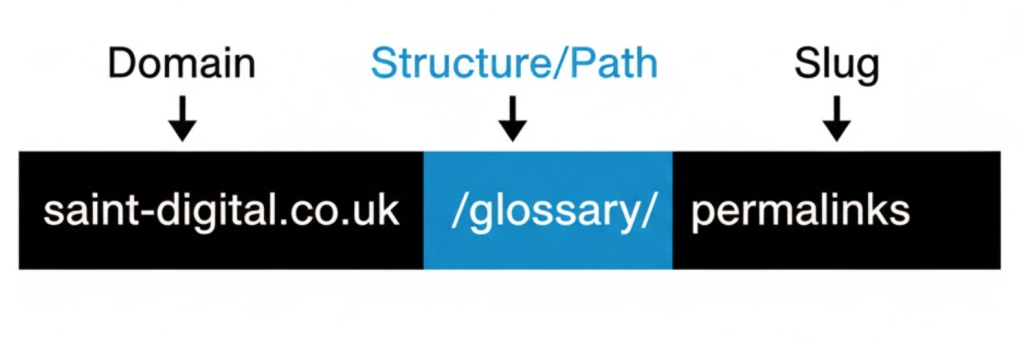
- The Permalink is the full web address.
Example:https://saint-digital.co.uk/glossary/permalinks - The Slug is just the end part that identifies the specific page.
Example:permalinks
Your “Permalink Structure” defines how the rest of the URL looks before the slug. Does it include dates? Categories? Or just the clean domain name?
The 3 Common Permalink Structures (Good, Bad, and Ugly)
WordPress offers several default options. Only one is the “Gold Standard” for most businesses.
1. The Ugly: “Plain” (`?p=123`)
This is the default setting on many older WordPress installs. It uses the “Post ID” number from the database.
Why it’s bad: It contains zero keywords. Google has no clue what the page is about. Users can’t remember it. It looks broken.
2. The Bad: “Day and Name” (`/2025/01/20/sample-post/`)
This adds the year, month, and day to every URL.
Why it’s bad: It “dates” your content. If you write an evergreen guide called “SEO Tips,” having “2025” in the URL makes it look obsolete by 2026. If you update the post, the URL stays old. It also makes the URL incredibly long and harder to share.
3. The Good: “Post Name” (`/sample-post/`)
This is the Saint Digital standard. It strips away all the dates and numbers, leaving just your domain and your keyword-rich slug.
Why it’s great: It is short, clean, memorable, and packs the maximum SEO punch. It puts your keywords right next to your domain name.
Why Structure Matters for SEO
Your permalink structure is a direct ranking signal.
- Keyword Prominence: Google reads URLs from left to right. In a “Post Name” structure, your keywords are front and center. This helps Google understand relevance instantly.
- Click-Through Rate (CTR): A clean URL like
/services/web-designlooks trustworthy. A messy URL like/2024/09/cat=4?id=99looks like spam. - Future-Proofing: By removing dates from your permalinks, you make your content “Evergreen.” You can update a blog post five years from now, and the URL will still be accurate.
Technical Nuance: The Trailing Slash
Does your URL end with a slash / or not?
example.com/page/(Trailing Slash)example.com/page(No Slash)
Technically, these are two different pages. If your site serves both versions, you have a Duplicate Content issue. We ensure your server forces one version (usually with the slash) to ensure consistency and prevent split ranking signals.
The Danger Zone: Changing Permalinks on a Live Site
If you are reading this and thinking, “Oops, my site uses dates! I’ll go change it right now,” STOP.
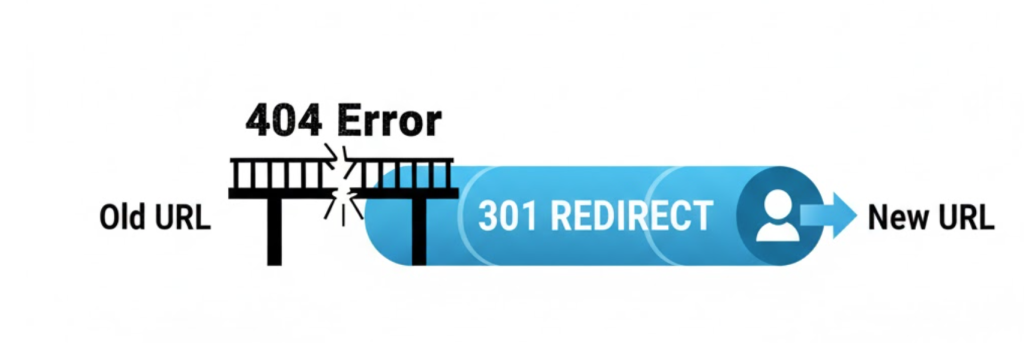
Changing your permalink structure is a major technical event. If you simply change the setting in WordPress, every single link to your blog posts will break.
- The link you shared on Facebook 3 years ago? 404 Error.
- The backlink you earned from the BBC? 404 Error.
- Your Google rankings? Dropped to zero.
This happens because you have changed the “address” of every page, but you haven’t told the post office.
How We Change Permalinks Safely
If we need to fix a client’s structure, we follow a strict migration process:
- Backup: We take a full snapshot of the site in case anything breaks.
- Map the Old URLs: We use tools to list every existing URL on the site.
- Create Redirects: We set up dynamic 301 Redirects. We tell the server: “If anyone tries to visit
/2024/01/post, automatically move them to/post.” - Change the Setting: Only *after* the redirects are in place do we switch the WordPress setting to “Post Name.”
This ensures users never see an error, and Google transfers all your “Link Juice” to the new, cleaner URLs.
The Takeaway
Permalinks are the permanent infrastructure of your website. They are the street signs that guide Google to your content.
If you are starting a new site, choose “Post Name” immediately. If you have an old site with messy URLs, don’t ignore them, but don’t just flip the switch. It requires a careful migration strategy.
At Saint Digital, our web design services include architecting your site for long-term growth. We ensure your URLs are clean, keyword-rich, and built to rank for years to come.
Is your URL structure holding you back? Let’s review it.
Is your address hard to find?
Messy URLs confuse users and dilute your keywords. We at Saint Digital build clean, SEO-friendly site architectures. We fix broken structures and manage complex migrations to ensure your rankings are safe.
Let’s clean up your links.
Learn more from our Glossary
© Saint Digital Ltd, 2020-26, all rights reserved.