
Link Rot
What is Link Rot? (Why Your Website is Slowly Breaking)
Imagine you build a beautiful wooden fence in your garden. It looks perfect. You walk away and don’t look at it for five years.
When you come back, what do you see? The wood has warped. Nails have rusted. Some panels have fallen off completely. It is no longer a fence; it’s a ruin.
Websites are exactly the same. They suffer from a phenomenon called Link Rot.
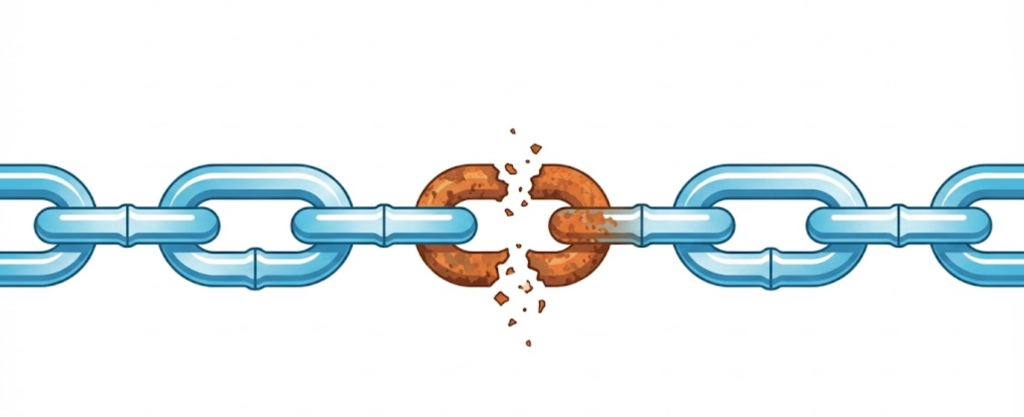
Welcome to the decoder ring. Link Rot (also known as “Link Decay”) is the natural, inevitable process by which hyperlinks on a website become broken over time. The pages they point to are deleted, moved, or the entire external website shuts down.
It is the silent killer of User Experience (UX) and SEO rankings. At Saint Digital, we treat Link Rot as a maintenance emergency. A site full of dead links tells Google (and your customers) that you have closed for business.
Is your site full of dead ends?
Broken links waste crawl budget and destroy user trust. Discover how to identify and fix hidden technical errors in our comprehensive audit framework.
The Scale of the Problem (The “Half-Life” of a Link)
You might think, “I haven’t changed my website in a year, so my links must be fine.”
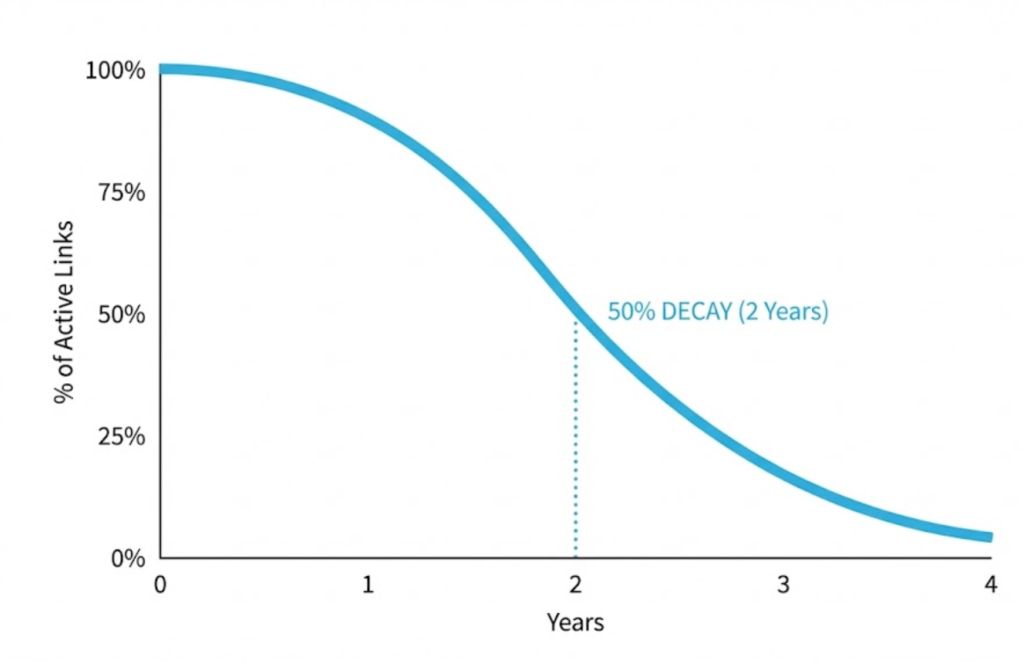
But the internet changes around you. A Harvard study found that the “half-life” of a typical webpage is about two years. This means that after two years, 50% of the content on the web has moved, changed, or vanished.
If you wrote a blog post in 2020 linking to 10 valuable industry resources, the math says that 3 or 4 of them are now dead ends (404 Errors). You didn’t break them; the internet did. But to the user visiting your site, it looks like you are the one who is broken.
Why Link Rot Destroys SEO
Google hates dead ends. Here is specifically why Link Rot hurts your rankings.
1. It Wastes Crawl Budget
As we discussed in our Crawl Budget guide, Googlebot has limited time to explore your site. If it follows a link on your page and hits a 404 error wall, it has wasted resources. If it hits 50 errors in a row, it assumes your site is low-quality and neglected. It stops crawling as often.
2. It Kills “Trust” (E-E-A-T)
Imagine reading a medical article about heart health. It links to a study on a university website. You click the link, and it goes to a “Domain Expired” spam page selling gambling credits.
Do you trust the medical advice anymore? No.
Broken external links destroy your E-E-A-T (Expertise, Authority, Trust). They signal to Google that your content is outdated, unmaintained, and potentially dangerous.
3. It Frustrates Users (Bounce Rate)
Users have zero patience. If they click a link and get a 404 page, they don’t hunt for the correct URL. They hit the “Back” button immediately. This drives up your Bounce Rate and tells Google your page provided a bad experience.
The Two Types of Rot (Internal vs. External)
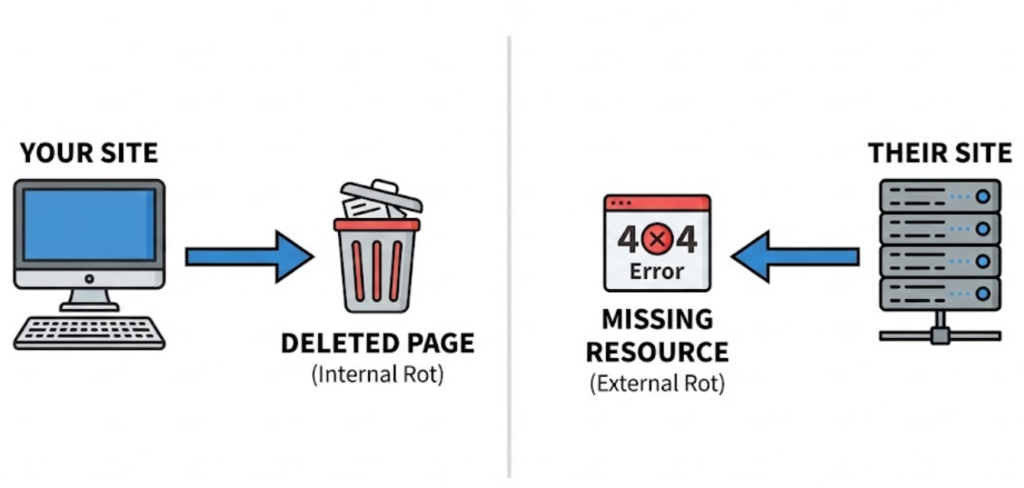
Link Rot happens in two directions, and the fix is different for each.
1. Internal Link Rot (Your Fault)
This happens when you change your own site structure.
- Example: You delete an old product page (“Blue Shoes”). But you forget that your blog post from last year (“Top 10 Summer Styles”) still links to it. That link is now dead.
- The Fix: When you delete or move a page, you MUST set up a 301 Redirect to the most relevant alternative page.
2. External Link Rot (Their Fault)
This happens when other websites change.
- Example: You link to a news article on the BBC. The BBC archives that page or moves it. Your link dies.
- The Fix: You cannot control the BBC. You must audit your site regularly to find these breaks. If the destination is gone, you must either remove the link or find a new, working resource to link to.
The “Silent” Rot: Content Drift
There is a third, more insidious type of rot called Reference Rot or Content Drift.
This is where the link still “works” (it returns a 200 OK status code), but the content on the page has changed completely. Maybe the domain expired and was bought by a spammer. Maybe the news article was updated with totally different facts.
Tools often miss this because the link isn’t technically “broken.” This requires manual review of your most important outbound links to ensure they still point to what you think they point to.
Turning Rot into Gold: “Broken Link Building”
Link Rot is actually a massive opportunity for SEOs. It’s a strategy called Broken Link Building.
If we scan a competitor’s website and find they are linking to a dead resource (e.g., a “Guide to SEO 2018” that no longer exists), we can:
- Write a better, fresher version of that guide on your site.
- Email the competitor (and everyone else who linked to the dead guide).
- Say: “Hey, I noticed you are linking to a broken page. I have a working, up-to-date guide on the same topic here. It might be a good replacement.”
It’s a win-win. They fix their rot, and you get a high-quality backlink.
How We Fix Link Rot (The Saint Digital Process)
You can’t check every link manually. We use a quarterly “Spring Clean” process.
Step 1: The Scan
We use software like Screaming Frog or Ahrefs to crawl every single link on your site (internal and external) and report the status codes.
Step 2: The Wayback Machine
If we find a dead external link, we use the Internet Archive (Wayback Machine) to see what the page used to say. This helps us find a perfect replacement resource to keep your content accurate.
Step 3: The Update
We systematically update the links. We fix typos, add redirects, and remove dead citations.
The Takeaway
A website is not a statue; it is a garden. If you don’t weed it, it gets overgrown and unusable.
Link Rot is inevitable. The internet is always moving. But letting your site decay is a choice.
At Saint Digital, we offer ongoing maintenance packages that include regular Link Rot audits. We ensure your digital ecosystem stays healthy, connected, and authoritative, protecting the rankings you worked so hard to earn.
Is your site decaying? Let’s check the health.
Is your website rotting away?
You might not see the broken links, but Google does. Dead links destroy trust and rankings. We at Saint Digital perform comprehensive site health audits. We find the rot, fix the breaks, and ensure your site stays fresh and authoritative.
Let’s clean up your site.
Learn more from our Glossary
© Saint Digital Ltd, 2020-26, all rights reserved.