
Caching
What is Caching? (The Secret to Instant Page Loads)
You visit a website. It loads instantly. You click to another page. Boom—it’s there. It feels like magic.
It isn’t magic. It is Caching.
But then, there is the other side of the coin. You update your website text. You hit save. You view the page… and the old text is still there. You panic. Is the site broken? No. It is just Cached.
Welcome to the decoder ring. Caching is the technology that stores copies of files in a temporary storage location (a cache) so that they can be accessed more quickly. It is the secret weapon behind Page Speed and Core Web Vitals.
Is your site failing Core Web Vitals?
If your LCP (Largest Contentful Paint) is too slow, caching is often the quickest fix. Our Technical SEO Guide explains how to configure your server for maximum speed and Google compliance.
The Analogy: The Chef vs. The Buffet
To understand caching, imagine a restaurant.
Without Caching (Dynamic Loading)
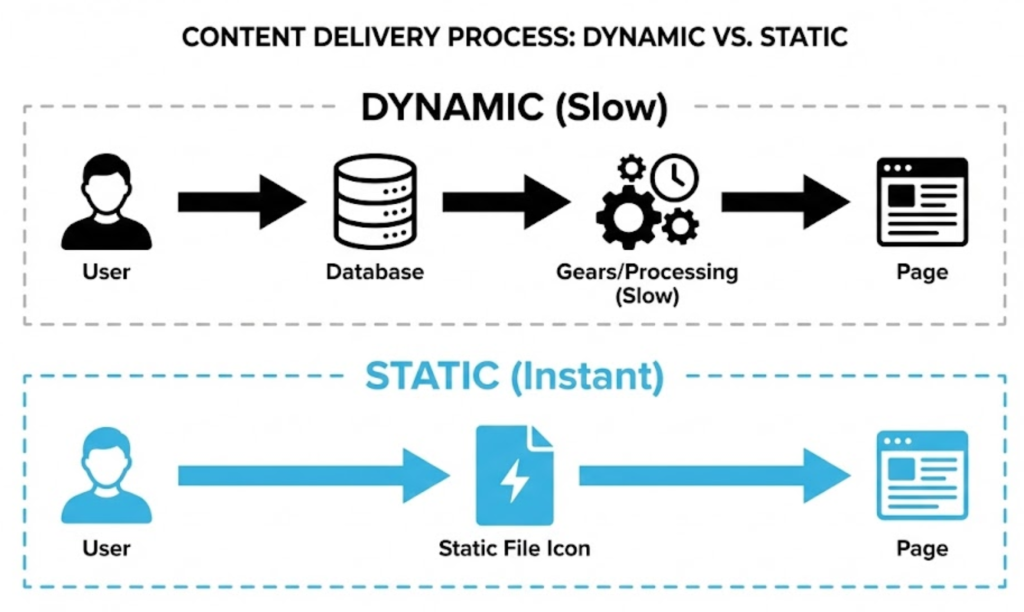
You order a soup. The chef has to chop vegetables, boil stock, and cook it from scratch. It takes 20 minutes. If 100 people order at once, the kitchen crashes. This is how a database-driven site (like WordPress) works by default.
With Caching (Static Loading)
The chef makes a giant pot of soup in the morning and puts it in a warmer (The Cache). When you order, the waiter serves it instantly. The kitchen can serve 1,000 people easily.
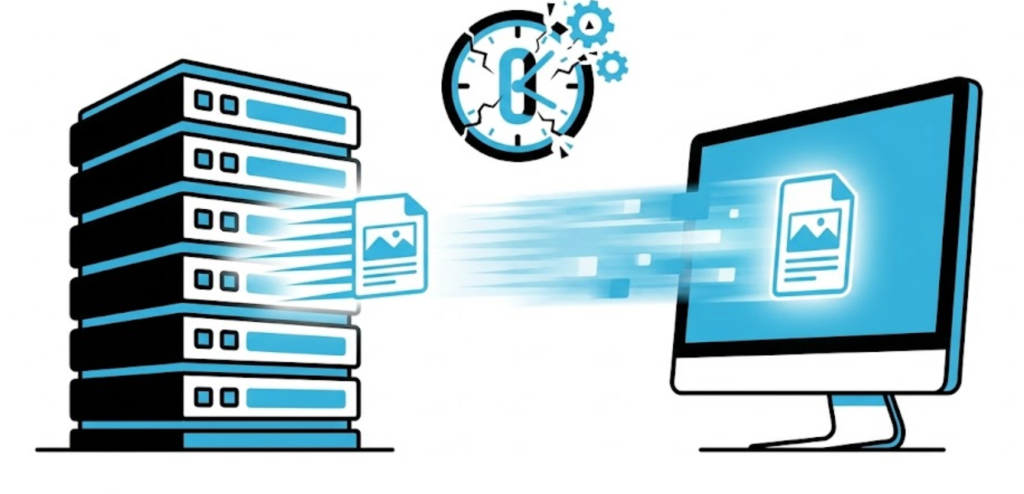
Caching takes a dynamic, complex page and saves it as a static “photocopy” (HTML file). When a user visits, the server hands them the photocopy instantly.
The 3 Types of Caching You Need to Know
Caching happens in three different places. To have a truly fast site, you need all three working in harmony.
1. Browser Caching (Client-Side)
This happens on your computer. When you visit a site, your browser downloads the logo and fonts. When you visit a second page, your browser thinks: “I already have the logo.” It loads the file from your hard drive instantly.
2. Server Caching (Page Caching)
This happens on the web server (Hosting). Instead of asking the database to build the page every time, the server saves the fully assembled HTML file and serves it to 99% of visitors.
3. CDN Caching (Edge Caching)
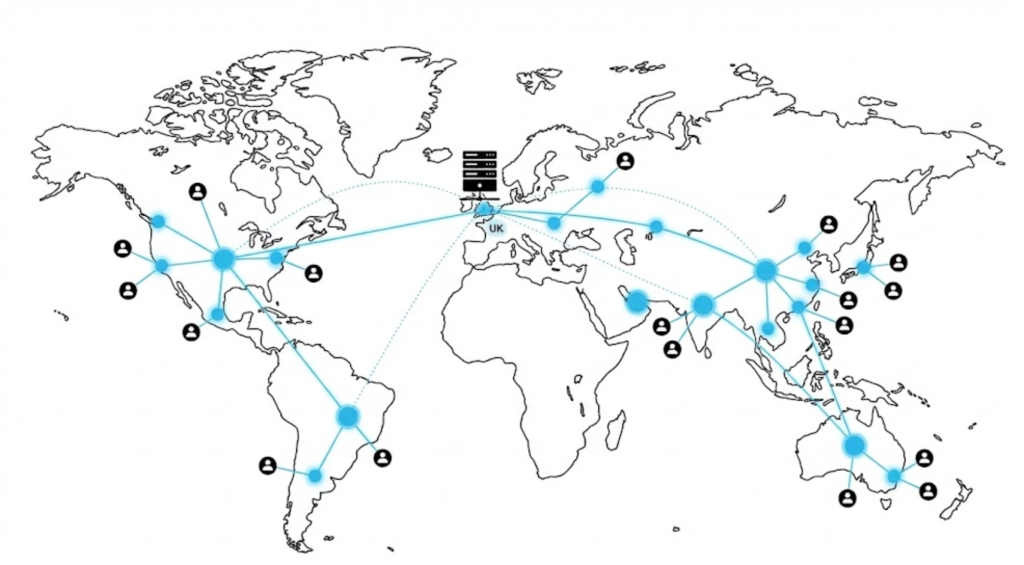
This happens all over the world. A CDN (Content Delivery Network) saves copies of your site in data centers globally. If a user visits from New York, they load the site from a New York server, not your London server. This eliminates “latency.”
The “Pro” Layer: Object Caching (Redis)
Standard caching works great for blogs, but what about online stores?
If you run a WooCommerce store, you can’t cache the “Cart” page, because every user’s cart is different. For this, we use Object Caching (like Redis). Instead of caching the whole page, it caches the database queries (e.g., “Price of Product X”). This keeps the site fast while allowing dynamic content.
Advanced Strategy: Cache Warming
The problem with caching is that the first person to visit a page often experiences a slow load (because the cache hasn’t been built yet).
We solve this with Cache Warming. We use automated bots that crawl your website immediately after you clear the cache. These bots “visit” every page to rebuild the cache files so that when a real human arrives 5 seconds later, the page is already instant.
The “Clear Your Cache” Frustration
This is the most common support ticket in the web design industry.
- The Scenario: We update your site. You check it. You still see the old version.
- The Cause: Your browser is showing you the “saved” version from yesterday to save data.
- The Fix: You must perform a “Hard Refresh” (Ctrl + F5 on Windows, Cmd + Shift + R on Mac) to force the browser to download the fresh file.
The Takeaway
Caching is the engine oil of the internet. It reduces friction, speeds up delivery, and prevents your server from overheating.
It is the single most effective way to improve your User Experience (UX) and your SEO rankings simultaneously.
At Saint Digital, our web design services manage the complex layers of Browser, Server, and CDN caching for you. We ensure your site loads instantly for users in Leeds or Los Angeles.
Is your site running slow? Let’s speed it up.
Make your website instant.
A beautiful website is nice, but a beautiful website that converts is a business-changer. We at Saint Digital obsess over the psychology of the click. We design every button and every link to guide your user to their “next step.”
Ready to turn your website clicks into clients? Let’s have a chat.
Learn more from our Glossary
© Saint Digital Ltd, 2020-26, all rights reserved.