
Google Tag Manager
What is Google Tag Manager? (The “Digital Toolbox”)
You want to track clicks. You want to install the Facebook Pixel. You want Hotjar heatmaps. Usually, you have to email your developer and wait a week.
But there is a better way. This is Google Tag Manager (GTM).
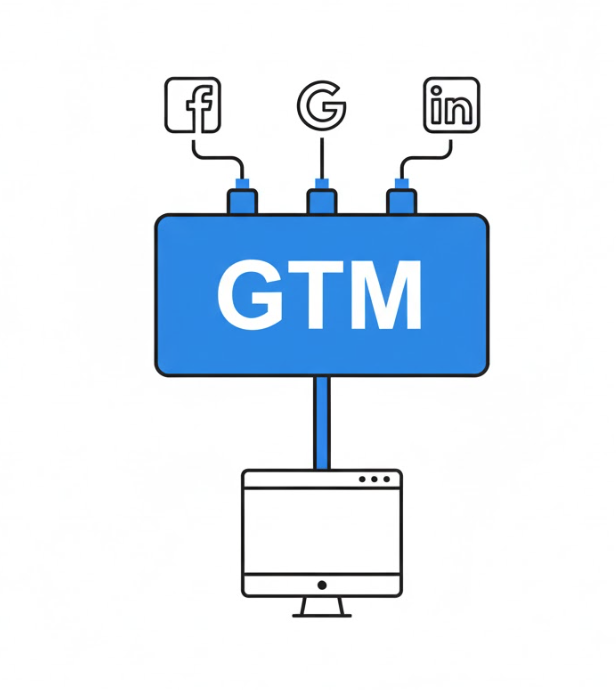
Welcome to the decoder ring. GTM is a free tool that acts like a “container” for all your marketing tags. Instead of hard-coding ten different scripts onto your site, you code one script (GTM) and manage everything else from a dashboard.
At Saint Digital, we install GTM on every site we build. It is the industry standard for scalable data tracking.
Is your tracking setup broken?
Double-tagging and missing triggers can ruin your data accuracy. Learn how to audit your technical setup to ensure you are measuring what matters.
The Analogy: The House and the Toolbox
Imagine your website is a house.
- Without GTM: Every time you want to hang a picture (add a tracking code), you call a builder to drill a hole in the wall. Eventually, your walls are full of holes (slow code).
- With GTM: The builder installs a single “Toolbox” on the wall. Whenever you want to add a tool, you just put it in the box. You don’t touch the wall.
GTM vs. Google Analytics (The Confusion)
Most clients think these are the same. They are not.
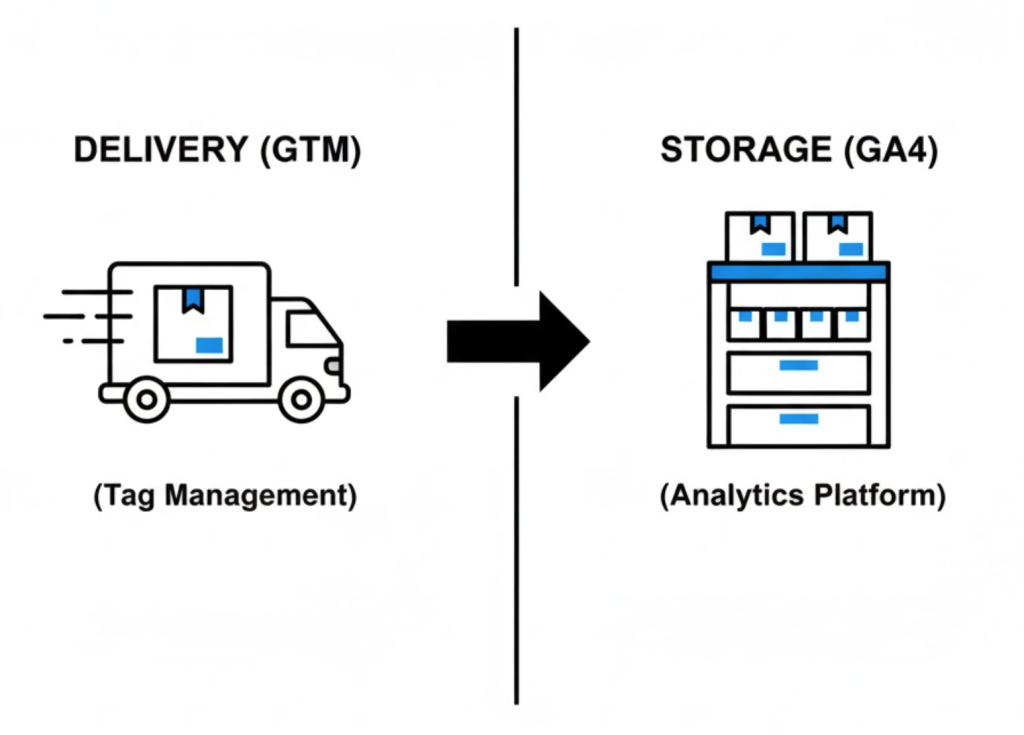
- Google Tag Manager (The Delivery Truck): It delivers the data. It determines when to send information. But it doesn’t store it.
- Google Analytics (The Report): It receives the data, stores it, and makes charts.
The Relationship: You use GTM to tell GA4: “Hey, someone just filled out the form!”
The Core Components
To use GTM, you only need to understand three words.
1. Tags (What?)
The snippet of code you want to fire (e.g., Facebook Pixel).
2. Triggers (When?)
The rule that tells GTM when to fire (e.g., “On ‘Thank You’ Page load”).
3. Variables (Which?)
Reusable rules (e.g., Your GA4 Measurement ID).
Technical Insight: Consent Mode v2 (GDPR)
In 2025, you cannot just fire tags whenever you want. You need Consent Mode.
This is an advanced GTM setting that “listens” to your Cookie Banner. If a user clicks “Reject Cookies,” GTM acts as a traffic cop and physically blocks the Facebook Pixel and Analytics tags from firing. If you don’t set this up correctly, you are likely violating GDPR laws.
The Advanced Tech: The Data Layer
The Data Layer is an invisible layer of code that stores information in a way GTM can read. When a user buys a product, the website writes the price (£50.00) into the Data Layer. GTM reads this and sends it to Google Ads. Without a Data Layer, tracking revenue is nearly impossible.
Common GTM Mistakes
- Double Tagging: Installing GTM but forgetting to remove the old hard-coded scripts. This counts every visitor twice.
- Empty Containers: Installing the code but forgetting to click “Publish” in the dashboard.
The Takeaway
Google Tag Manager is the control center of your digital marketing. It gives you agility and keeps your code clean.
At Saint Digital, our SEO services handle the complex setup of GTM. We build the triggers, test the tags, and ensure your data is flowing perfectly.
Ready to take control?
Take control of your data.
Stop waiting for developers to update your tracking. We at Saint Digital are GTM experts. We configure advanced tracking setups that measure every click, scroll, and sale, giving you the data you need to grow.
Let’s set up your toolbox.
Learn more from our Glossary
© Saint Digital Ltd, 2020-26, all rights reserved.