
UTM Parameters
What are UTM Parameters? (The Secret Code That Proves ROI)
You send an email newsletter. You post a link on LinkedIn. You run a Facebook ad campaign.
You check your Google Analytics, and you see a spike in traffic. Great! But where exactly did it come from?
Did they click the specific button in the email? Did they come from the Facebook post on Tuesday or the one on Wednesday? Or did they just type your name into the browser?
Without UTM Parameters, you are guessing. With them, you know.
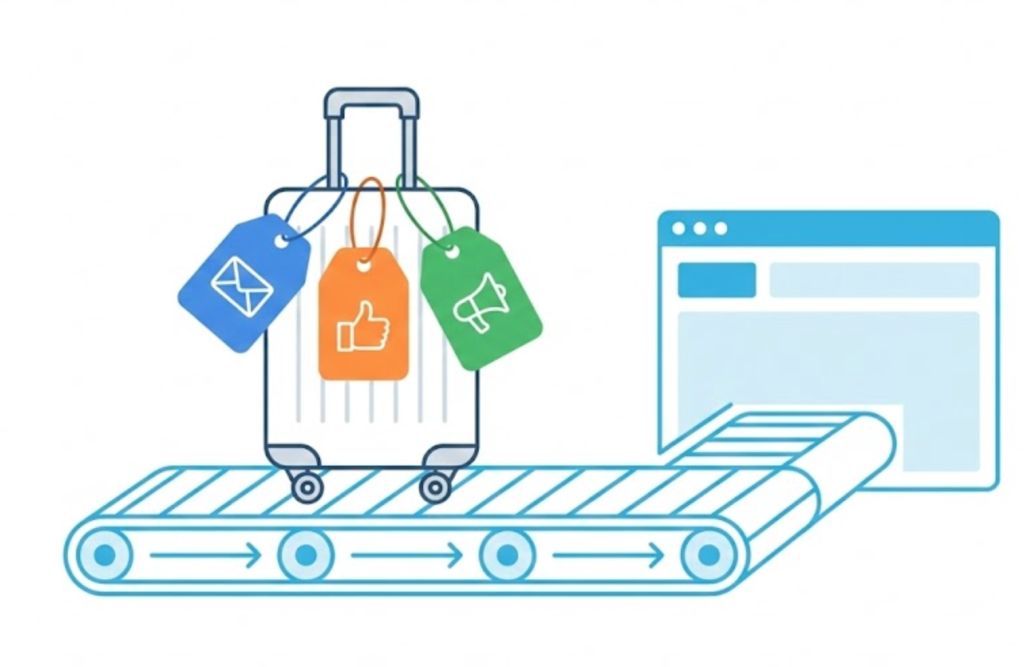
Welcome to the decoder ring. UTM stands for Urchin Tracking Module (named after Urchin, the software that was acquired and became Google Analytics). UTMs are snippets of code added to the end of a URL that tell analytics tools exactly where a visitor came from, how they got there, and why.
At Saint Digital, we don’t believe in “guessing” where leads come from. We use UTMs to track every single external campaign, turning vague traffic data into precise ROI reporting.
Stop guessing, start tracking.
If you can’t measure it, you can’t improve it. Learn how to build a data-driven marketing framework that proves ROI in our complete strategy guide.
The Anatomy of a UTM Link
A normal link looks like this:yoursite.com/pricing
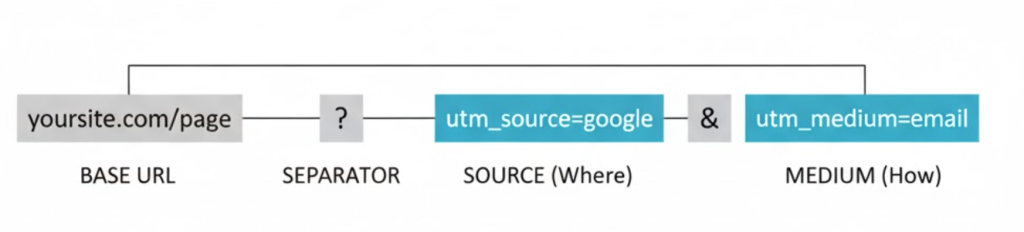
A UTM-tracked link looks like this:yoursite.com/pricing?utm_source=facebook&utm_medium=cpc&utm_campaign=winter_sale
It looks messy, but it is incredibly powerful. The part after the ? is the UTM parameter string. It doesn’t change the page content for the user; it just sends a specific signal to Google Analytics.
The 5 Standard Parameters
- utm_source (The “Where”): Identifies the specific site the traffic came from.
Examples:google,facebook,newsletter,linkedin. - utm_medium (The “How”): Identifies the marketing medium or channel.
Examples:email,cpc(cost per click),social,organic. - utm_campaign (The “Why”): Groups links into a specific marketing effort.
Examples:summer_sale,product_launch,black_friday. - utm_content (The “Which One”): Used for differentiating ads or links within the same campaign.
Example: If an email has two CTA buttons, tag themheader_buttonandfooter_buttonto see which one works best. - utm_term (The Keyword): Originally for paid search keywords. Rarely used manually now as Google Ads handles this automatically via Auto-Tagging.
Why UTMs Are Vital: Solving “Dark Traffic”
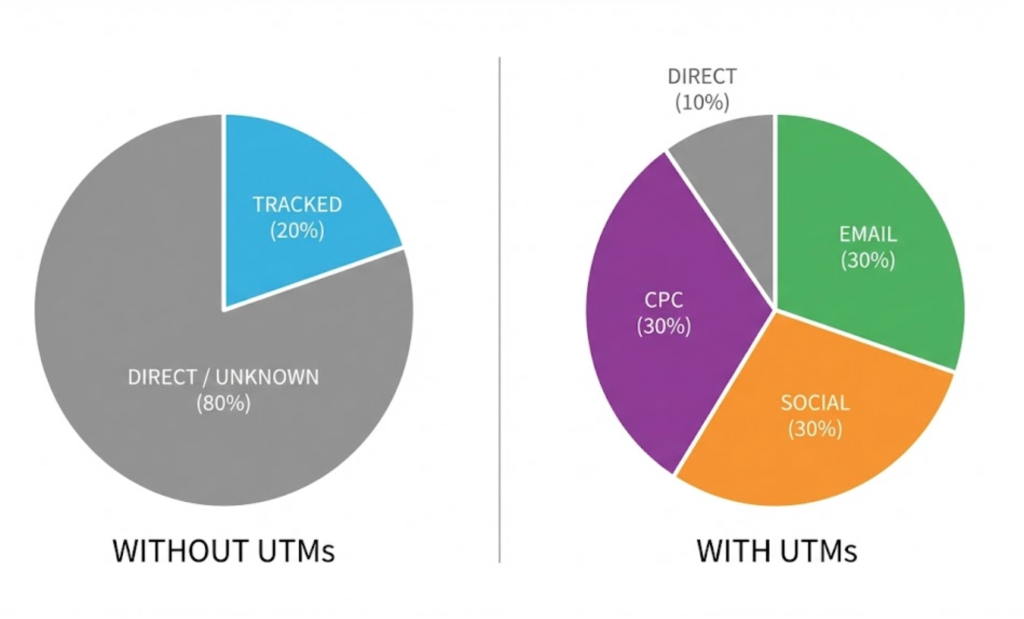
If you don’t use UTMs, Google Analytics dumps a huge amount of traffic into the “Direct” bucket.
Direct Traffic is the black hole of analytics. It effectively means “Unknown.” It happens when someone clicks a link in an email app (like Outlook) or a PDF, and the referrer data gets lost.
By adding a UTM tag, you force Google to categorize that traffic correctly. You move traffic from the “Unknown” bucket to the “Email Campaign” bucket. This proves that your email marketing is actually driving revenue.
The Golden Rule: NEVER Use UTMs Internally
This is the most common and destructive mistake we see.
You should never use UTM tags on links that go from one page of your website to another page of your website.
The Scenario: You put a banner on your Homepage linking to your Services page with ?utm_source=homepage_banner.
The Result: When the user clicks that link, Google Analytics thinks a new session has started. It ends the original session (e.g., from Google Organic) and starts a new one (from Homepage). This artificially doubles your session count and destroys the original attribution data showing how they found you.
How to Build UTM Links (The Strategy)
You don’t need to type these out manually. You can use free tools like Google’s Campaign URL Builder. However, you must follow strict rules, or your data will break.
1. Be Case Sensitive
Google Analytics is case sensitive. utm_source=Facebook and utm_source=facebook will show up as two different rows in your report. This splits your data.
The Rule: Always use lowercase for everything.
2. No Spaces
URLs cannot contain spaces. If you use a space, the browser will insert ugly %20 characters.
The Rule: Use underscores (_) or hyphens (-). E.g., winter_sale.
3. Use a “Master Spreadsheet”
If you have a team, consistency is key. Don’t let one person use utm_medium=social and another use utm_medium=social-media. Create a shared spreadsheet that lists your standard naming conventions so everyone tags links the same way.
Tracking UTMs in GA4
Once you start using them, where do you see the data?
In GA4, navigate to Reports > Acquisition > Traffic Acquisition.
Change the primary dimension drop-down to “Session Source/Medium.” You will see your tagged campaigns listed right there (e.g., newsletter / email). You can then see exactly how many conversions, leads, and sales each specific campaign drove.
The Takeaway
UTM parameters are the difference between “I think my marketing worked” and “I can prove my marketing worked.”
They turn the chaotic noise of the internet into organized, actionable data. They allow you to see exactly which tweet, which email, and which banner ad is paying the bills.
At Saint Digital, our SEO services are obsessed with data. We build robust tracking frameworks using UTMs and Google Tag Manager to ensure every penny of your marketing budget is accounted for.
Are you flying blind? Let’s turn on the radar.
Stop Guessing. Start Tracking.
If you don’t know where your sales are coming from, you can’t scale them. We at Saint Digital build comprehensive data tracking strategies. We ensure your analytics are clean, your campaigns are tracked, and your ROI is undeniable.
Let’s follow the data.
Learn more from our Glossary
© Saint Digital Ltd, 2020-26, all rights reserved.