
Open Graph Tags
What are Open Graph Tags? (Why Your Links Look Ugly on Social Media)
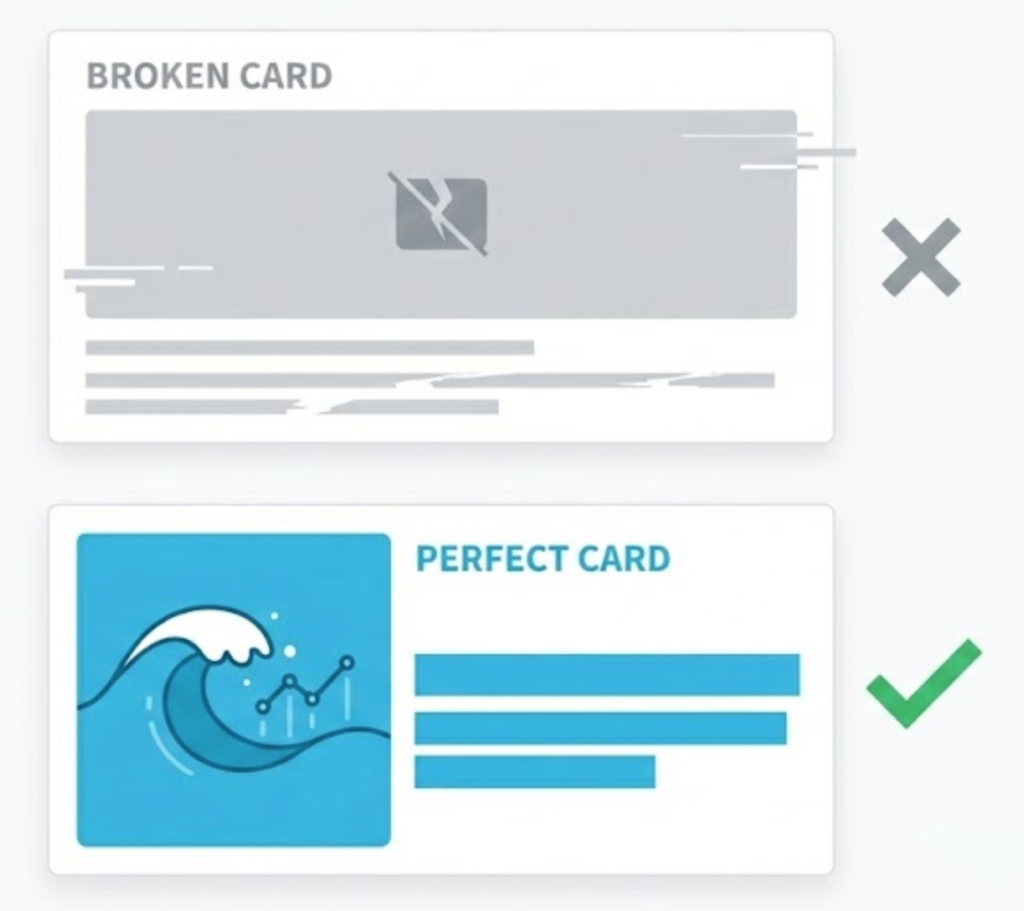
You write a brilliant blog post. You copy the URL. You paste it into LinkedIn or Slack to share it with the world. You wait for the preview to load.
And then… disappointment.
The image is missing. The title is cut off. The description just says “Home.” Instead of a polished content asset, it looks like a broken link.
This happens because you forgot your Open Graph (OG) Tags.
Welcome to the decoder ring. Open Graph tags are snippets of code that control exactly how your URLs interact with social media. They turn a plain text link into a “Rich Object” with a custom image, title, and description.
At Saint Digital, we consider OG Tags a vital part of “Off-Page” SEO. Even if they don’t directly change your Google ranking, they dictate your click-through rate on every other platform on the internet.
Don’t let bad code ruin your brand.
Technical SEO isn’t just about Google—it’s about how your brand appears everywhere. Master the technical foundations of a high-performance site in our guide.
The Origin Story: Facebook’s “Graph”
In 2010, Facebook introduced the Open Graph protocol. Their goal was simple: to allow any web page to have the same functionality as a Facebook Page.
Today, almost every major platform uses this standard, including:
- Slack
- Discord
- Twitter (X) – (Note: Twitter has its own “Twitter Cards,” but it will fall back to Open Graph tags if Twitter-specific tags are missing).
Without these tags, these platforms guess. They scrape your page, grab the first random image they find (often your logo or an ad), and grab the first text they see (often your menu). The result is usually a mess.

The “Essential 4” Tags
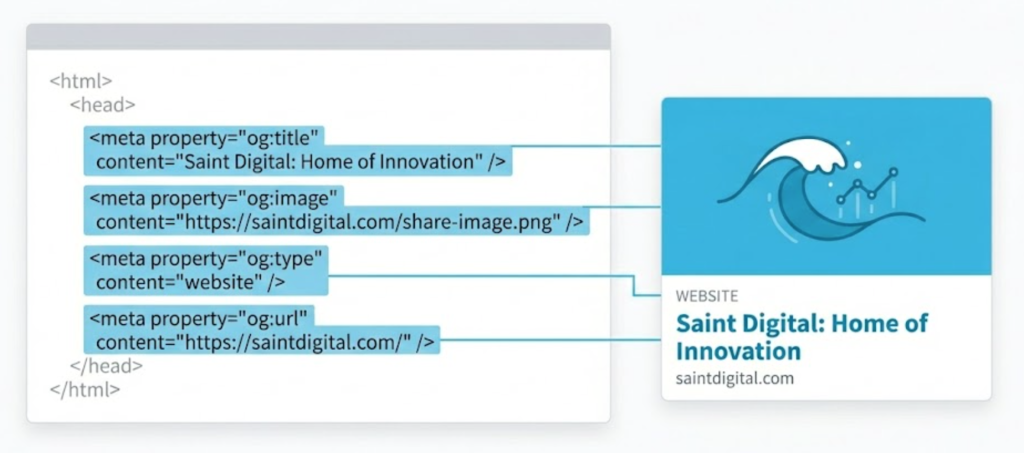
While there are dozens of tags you can use, there are four that are absolutely mandatory for every page on your site.
1. `og:title` (The Headline)
This is the bold text that appears in the card. It serves the same purpose as your SEO Title Tag, but you can (and should) make it punchier for social media.
- SEO Title: “Best SEO Agency Leeds | Saint Digital” (Keyword focused)
- OG Title: “Why Most Leeds SEO Agencies Are Failing You” (Click focused)
2. `og:image` (The Scroll Stopper)
This is the most critical tag. A link with a large, high-quality image gets significantly more clicks than a text-only link.
Pro Tip: The standard size is 1200 x 630 pixels (an aspect ratio of 1.91:1). If your image is too small, Facebook will shrink it into a tiny thumbnail, killing your engagement.
3. `og:description` (The Hook)
This appears below the title. Unlike Google’s meta description (which affects ranking), this description is purely for the user. Use it to summarize the value proposition in one sentence.
4. `og:url` (The Canonical)
This tells the social platform the “real” address of the content. This is crucial for tracking shares. If you have multiple URLs for the same page (e.g., due to tracking codes), this tag consolidates all the “Likes” and “Shares” to the main URL.
How to Debug Your OG Tags
The worst time to realize your tags are broken is after you’ve posted.
Fortunately, Facebook provides a free tool called the Sharing Debugger.
- Go to the Facebook Sharing Debugger.
- Paste your URL.
- Click “Debug.”
It will show you exactly what the scraper sees. Crucially, if you update your image but Facebook still shows the old one, you can use the “Scrape Again” button to force Facebook to clear its cache and look at your new tags.
The Saint Digital Standard
Many developers leave OG tags blank or set them to “auto-fill.”
We treat them as distinct marketing copy. Your “Search” audience (Google) wants answers. Your “Social” audience (LinkedIn/Facebook) wants intrigue. We often write different titles for each to maximize the performance of the content across all channels.
Is your brand looking professional on Slack, or are you just a blue link?
Are your Links losing Clicks?
When you share your website on Slack or LinkedIn, does it look professional, or does it look broken? First impressions happen before the click.
At Saint Digital, we ensure your site looks perfect on every platform, not just Google.
Learn more from our Glossary
© Saint Digital Ltd, 2020-26, all rights reserved.